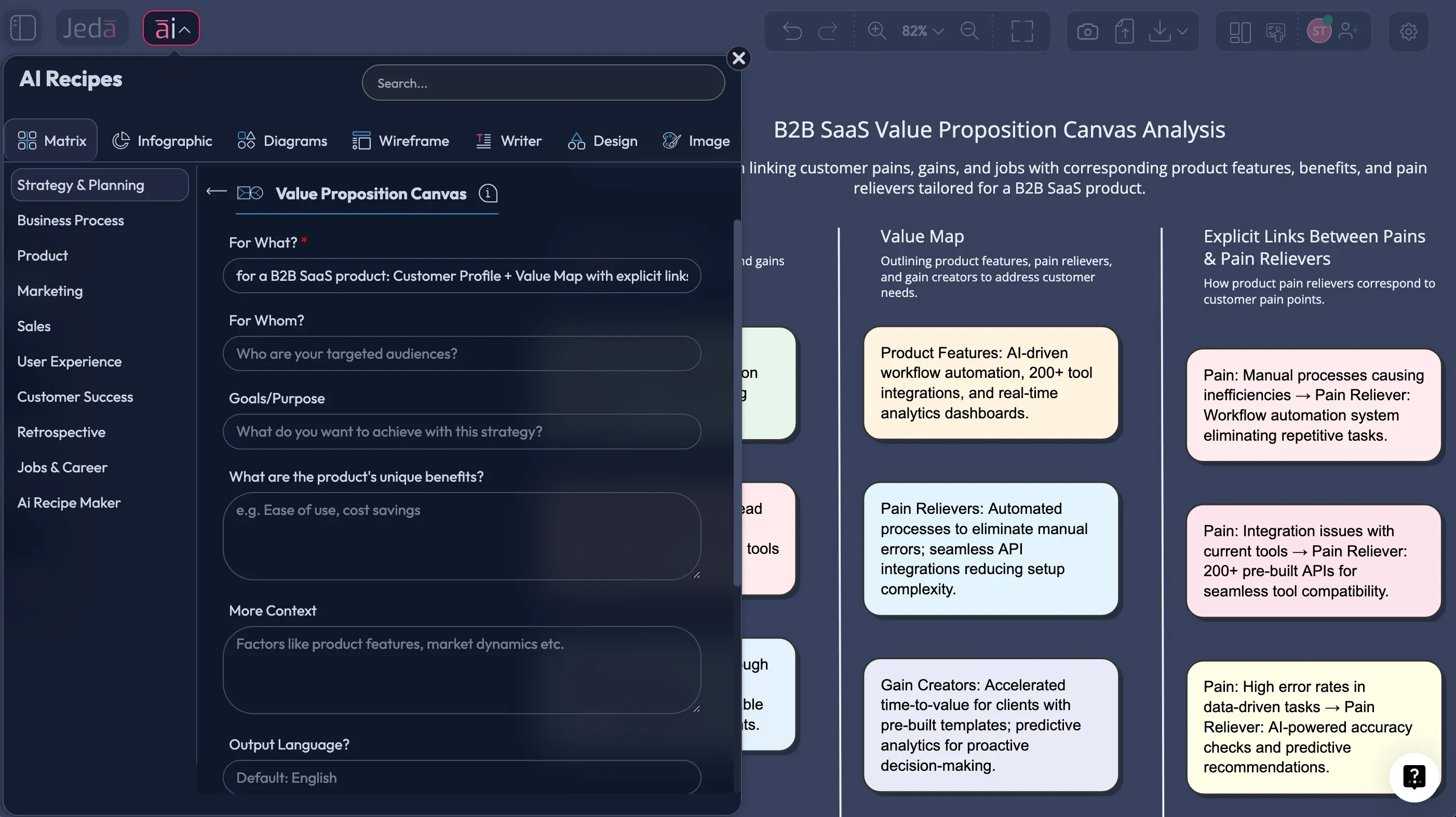
If your product is “for everyone,” it is probably for no one. The Value Proposition Canvas with AI is a clean way to stop guessing and start matching what you build to what customers actually need.
This page explains the Value Proposition Canvas, shows how to generate it using Jeda.ai, and gives you prompts that work. You will build it inside an AI Workspace and AI Whiteboard used by 150,000+ users to create editable, decision-ready visuals.
What is the Value Proposition Canvas
The Value Proposition Canvas is a tool introduced by Strategyzer (Alexander Osterwalder and co-authors) to help teams design value propositions that match customer needs. It breaks the problem into two halves:
- Customer Profile: customer jobs, pains, gains
- Value Map: products and services, pain relievers, gain creators
The goal is fit. Not slogans. Not feature lists. Fit.
In the book Value Proposition Design (2014), the canvas is positioned as a zoom-in companion to the Business Model Canvas, focusing on the customer and the value offered.
Why use the Value Proposition Canvas with AI
Teams often do Value Proposition Canvas work in docs and sticky notes, then lose the logic when they move to product specs. AI helps in three practical ways:
- Turns research into structure. Paste interview notes, support tickets, and sales calls. AI clusters them into jobs, pains, and gains.
- Drafts real pain relievers. AI connects your offering to the pains with explicit mechanisms, not hand-wavy claims.
- Creates alternatives. AI suggests competing value maps so you can compare positioning options.
And because Jeda.ai is a Visual AI platform, you keep the canvas editable. Move items, rewrite them, color-code them, and collaborate live.
- Customer Profile from evidence
Use Document Insight to extract jobs, pains, and gains from research docs. Then refine them on the board with your team.
- Value Map options fast
Generate 2–3 value maps for the same customer profile. Compare positioning paths before you commit the roadmap.
- Fit you can defend
Tie each pain reliever and gain creator back to actual customer words. Your canvas becomes your proof, not just a slide.
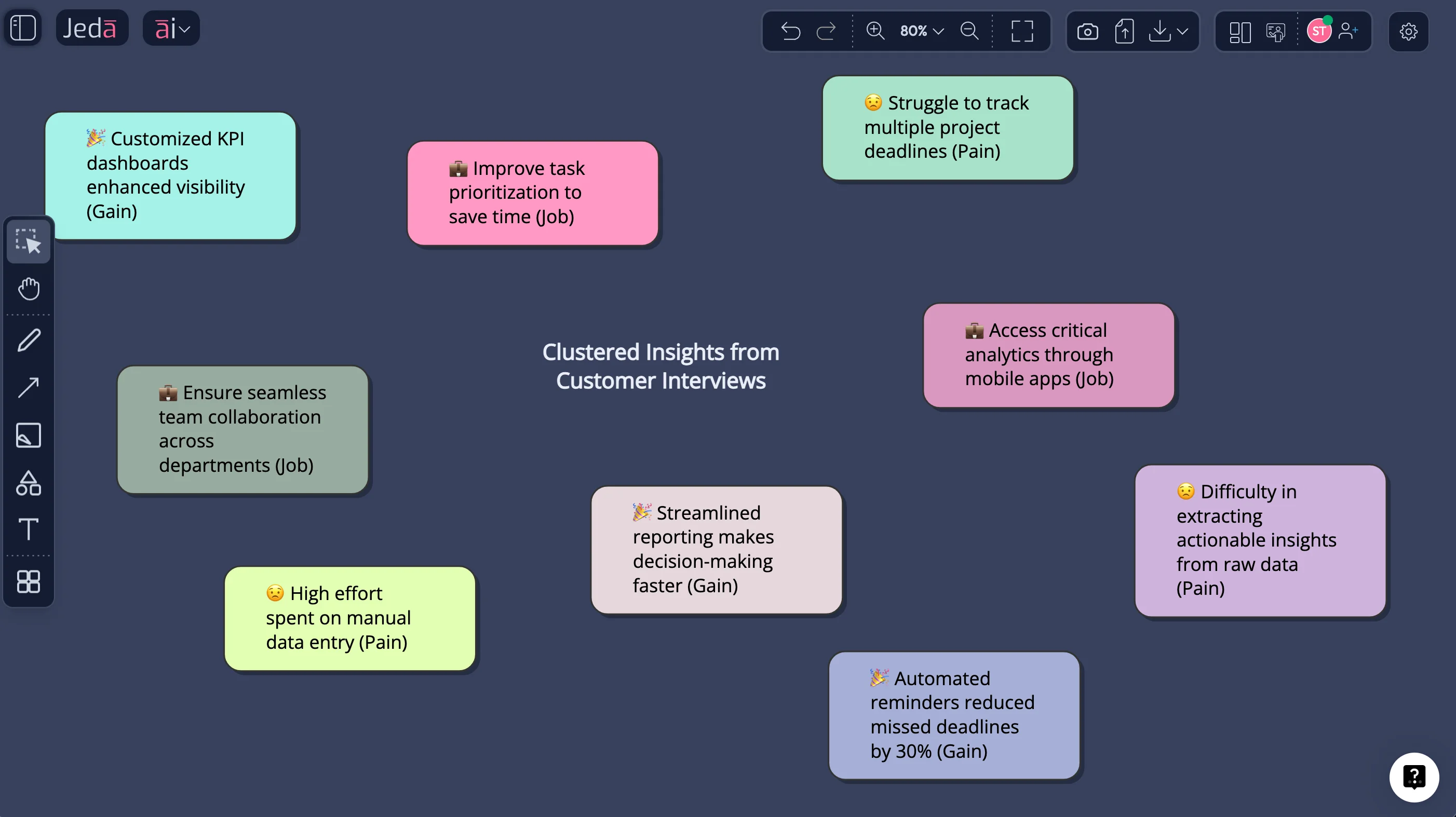
How to create a Value Proposition Canvas with AI in Jeda.ai
Even if you have never used Jeda.ai, you can build a clean canvas in minutes.
- Collect raw customer evidence
Gather 5–10 interview notes, support tickets, or sales call summaries. Keep them in one doc.
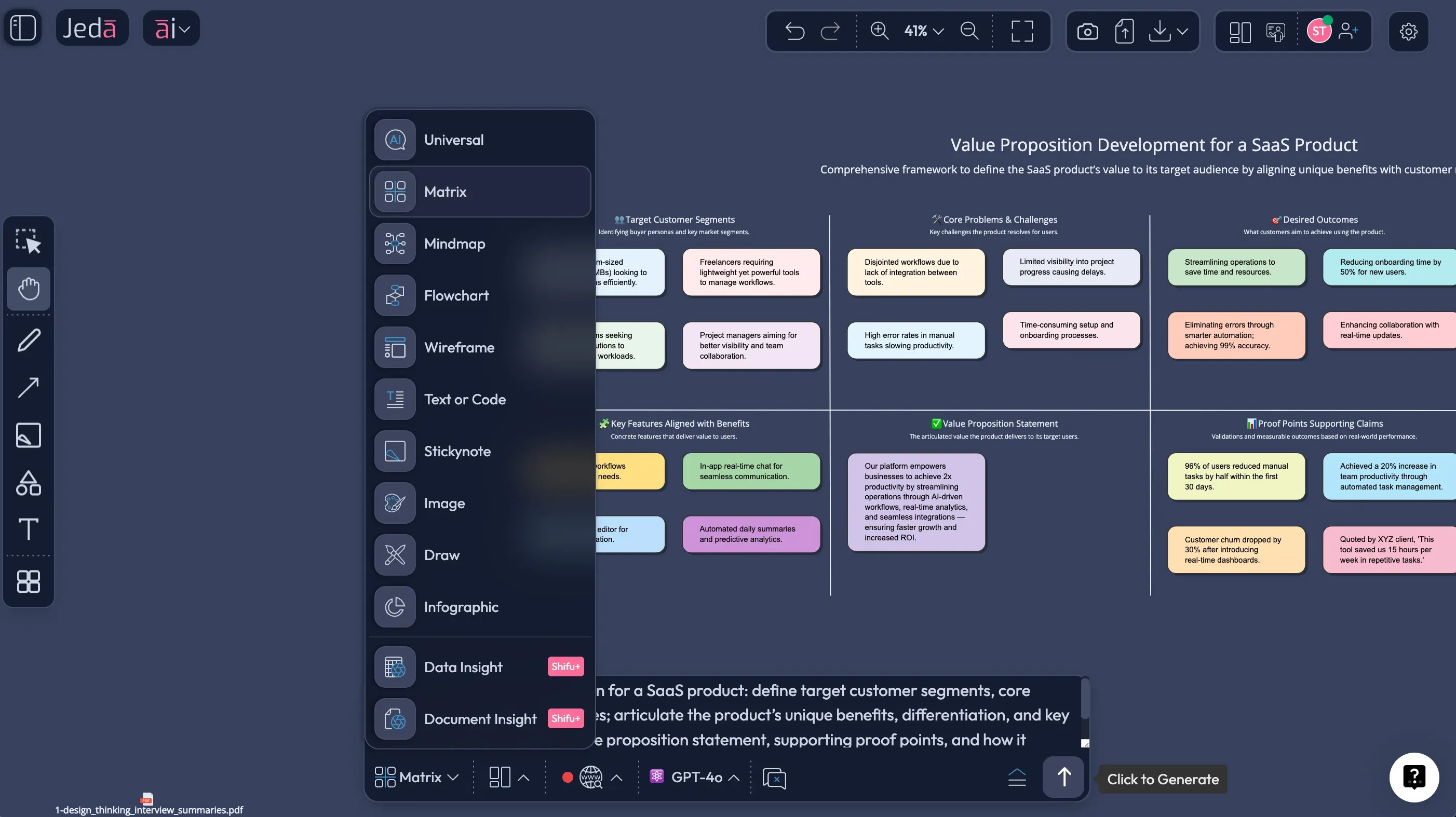
- Generate the Value Proposition Canvas
In Jeda.ai, choose the Matrix command and prompt AI to extract jobs, pains, and gains from your evidence. Ask for a Value Proposition Canvas.
- Check fit and remove fluff
Delete anything that is not specific. If a pain reliever does not reduce a named pain, it does not belong.
- Create two positioning variants
Duplicate the canvas and ask AI to propose an alternative value map with a different angle (speed, cost, risk, status, compliance).
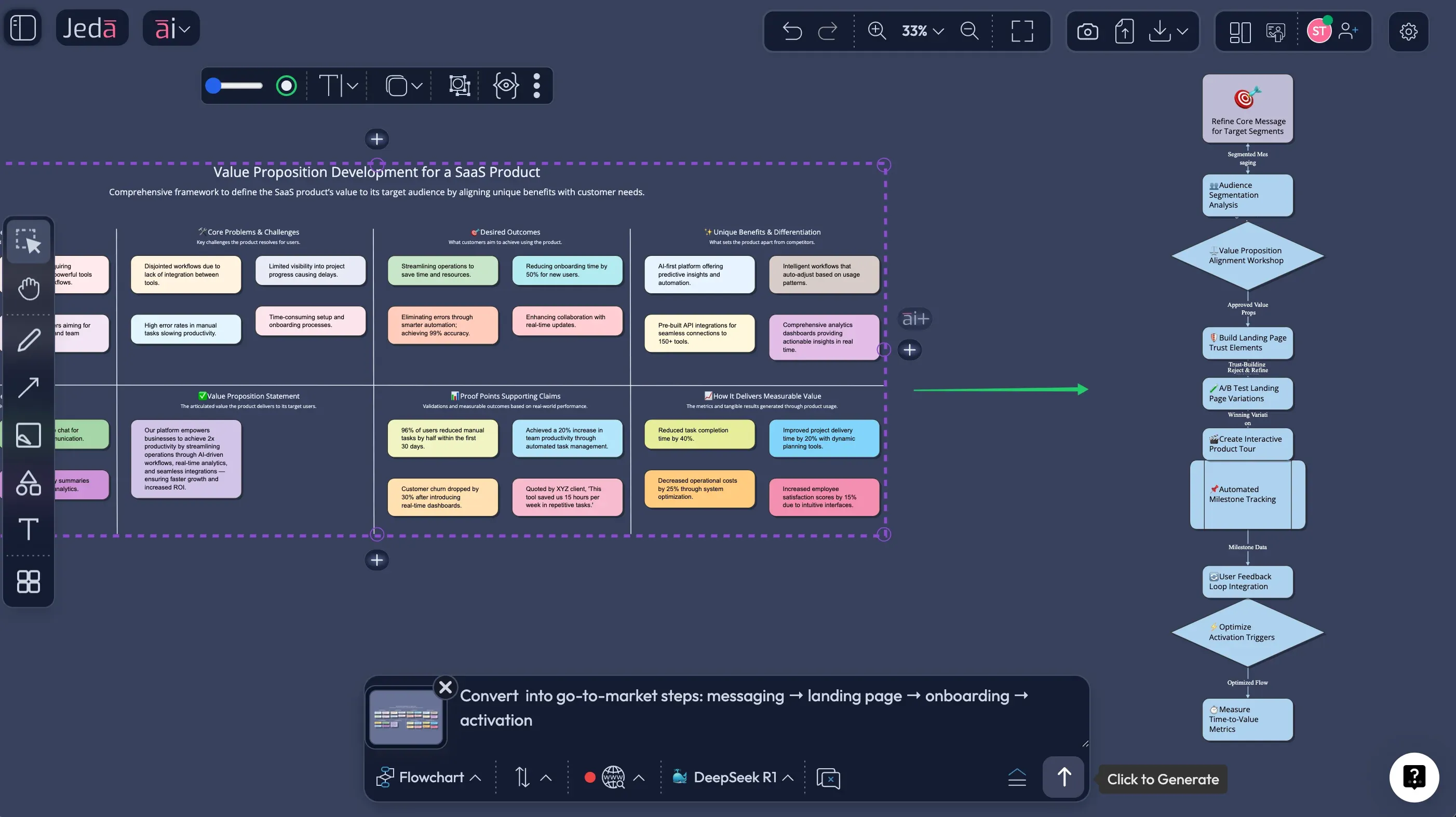
- Extend and convert for stakeholders
Tap the AI+ button to expand any section. Use Vision Transform to convert the canvas into a flowchart for go-to-market planning.
Prompt you can copy
Select the Matrix command and paste:
Create a Value Proposition Canvas for: [product].
Customer segment: [segment].
Evidence: [paste notes or summarize].
Output: Customer Jobs (functional, emotional, social), Pains, Gains (ranked).
Then output Value Map: Products & Services, Pain Relievers, Gain Creators.
For each Pain Reliever, reference which Pain it addresses. For each Gain Creator, reference which Gain it creates.
Add 3 key differentiators vs common alternatives.
Example: Value Proposition Canvas for an “AI meeting notes” tool
Customer segment: project managers in remote teams.
Possible Customer Jobs:
- Capture decisions and action items fast
- Share updates without writing long emails
- Keep stakeholders aligned after meetings
Likely Pains:
- Notes get lost across tools
- Action items have no owner
- Meetings produce confusion, not clarity
Desired Gains:
- A single source of truth
- Faster follow-through
- Less rework and fewer status meetings
Now build a Value Map:
- Pain reliever: auto-assign action items with owners and due dates
- Pain reliever: link notes to tasks and projects
- Gain creator: one-page weekly summary for stakeholders
This is where you can be honest. If your product cannot actually reduce that pain, do not pretend it can.
Best practices and tips
Common mistakes to avoid
- Doing the canvas without evidence. You end up with a team’s opinion, not a customer profile.
- Listing features as gains. Gains are customer outcomes, not your UI.
- Ignoring alternatives. Customers compare you to something, even if it is a spreadsheet.
- Overstuffing the value map. If everything is a differentiator, nothing is.
- Skipping messaging translation. A canvas is not done until it becomes copy, onboarding, and roadmap.
Frequently Asked Questions
- What is a Value Proposition Canvas with AI?
- A Value Proposition Canvas with AI uses AI to extract customer jobs, pains, and gains from evidence, then drafts value map elements that directly address those needs. The output is a structured canvas you can edit, compare, and use to guide messaging and product decisions.
- Who created the Value Proposition Canvas?
- The Value Proposition Canvas was developed by Strategyzer and described by Alexander Osterwalder and co-authors in the book Value Proposition Design (2014) as a tool to design value propositions that match customer needs.
- How is it different from the Business Model Canvas?
- The Business Model Canvas covers the whole business model. The Value Proposition Canvas zooms in on two parts: the customer profile and the value offered, so you can work toward product-market fit in a more detailed way.
- How many jobs, pains, and gains should I include?
- Start with 5–7 customer jobs, 5–10 pains, and 5–10 gains, then prioritize. The goal is focus. You can keep a backlog, but your working canvas should stay readable.
- How do I validate the canvas?
- Validate by running customer interviews, testing messaging, measuring conversion, and observing behavior. A canvas is validated when you can link claims to evidence and see consistent outcomes in the market.
- Can Jeda.ai export the canvas?
- Yes. Jeda.ai exports boards as PNG, SVG, or PDF. Export the canvas and drop it into a deck or document as needed.
- Does Jeda.ai have other strategy templates?
- Yes. Jeda.ai includes 300+ strategic frameworks and supports generating frameworks via the Prompt Bar and AI Menu. You can also extend any canvas with the AI+ button.
- What command should I use in Jeda.ai for this canvas?
- Use the Matrix command to generate the Value Proposition Canvas. Then use Vision Transform if you want to convert the canvas into a flowchart for go-to-market planning or a mind map for brainstorming.
Sources and further reading
- [1]
Osterwalder, Alexander; Pigneur, Yves; Bernarda, Greg; Smith, Alan; Papadakos, Trish (2014) . “Value Proposition Design” Wiley / Strategyzer.
View Source ↗ - [2]
Strategyzer (2014) . “The Value Proposition Canvas” Strategyzer Library.
View Source ↗ - [3]
Strategyzer (2014) . “Value Proposition” Strategyzer.
View Source ↗
Create Your Value Proposition Canvas Today
Join over 150,000 professionals who use Jeda.ai as an AI Workspace to build clear value propositions and editable strategy visuals.
Try Free Template