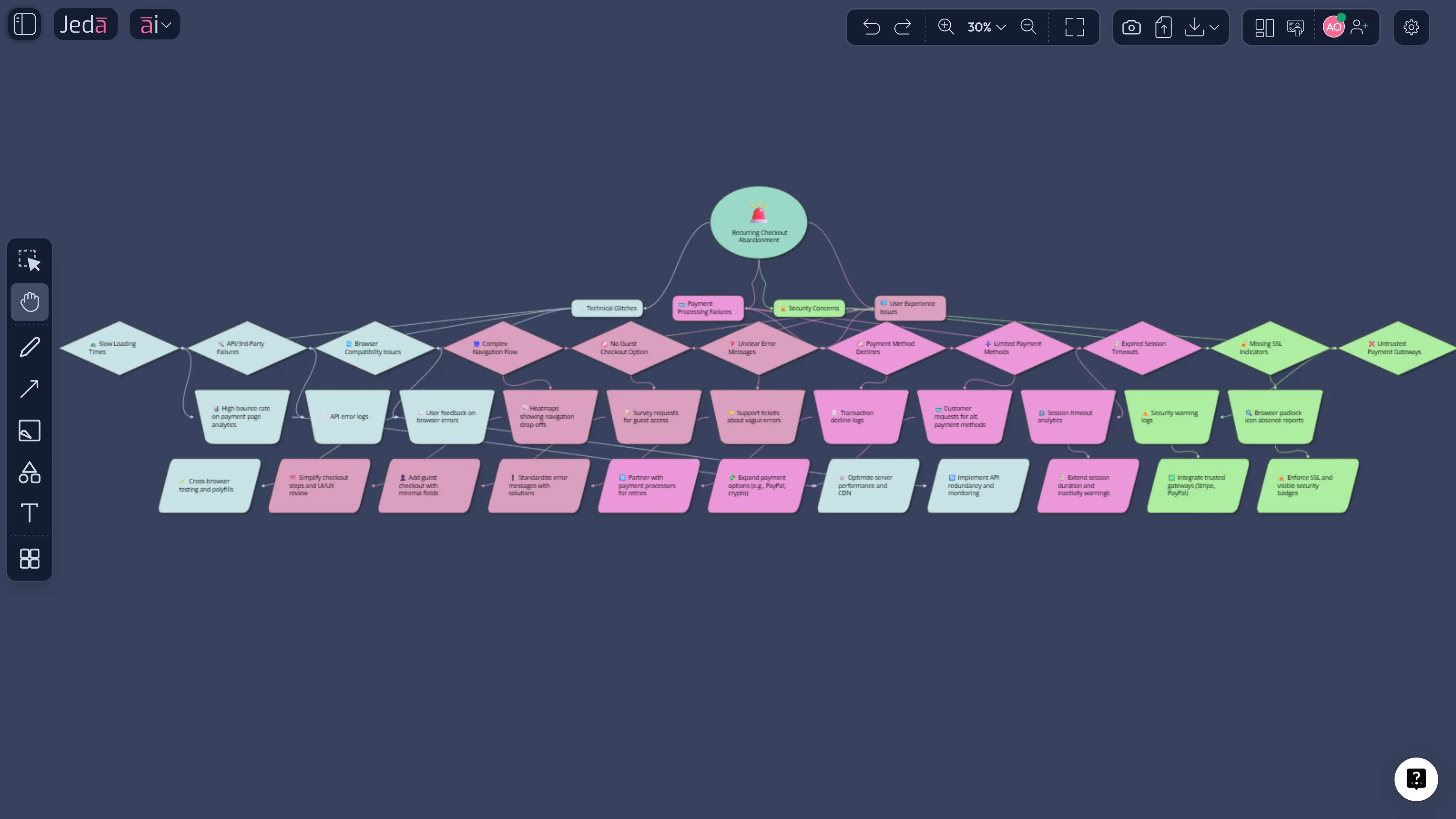
Root Cause Analysis with AI is useful when your team is tired of treating symptoms like causes. The goal is simple: find what actually drives the failure, not just what showed up last. In Jeda.ai, you can do that on an editable AI Workspace and AI Whiteboard instead of spreading the investigation across slides, docs, and half-remembered Slack takes.
What is Root Cause Analysis?
Root Cause Analysis, or RCA, is a structured way to trace a problem back to the conditions and decisions that made it possible. Good RCA does not stop at the visible symptom. It keeps asking what failed upstream, what system weakness made that failure likely, and what action would reduce recurrence.
That is why classic RCA methods still matter. The fishbone diagram, also called the Ishikawa diagram, helps teams group possible causes. The 5 Whys pushes the conversation past the first easy answer. Put together, they help teams move from “what went wrong?” to “what changed, why did it change, and what do we fix first?”
Why use Root Cause Analysis with AI?
Most RCA sessions fail for ordinary reasons. The problem statement is vague. Symptoms get mislabeled as causes. Evidence stays in other files. The team stops when the board looks busy. AI does not replace judgment, but it does make the work faster, clearer, and harder to fake when the investigation happens on a visual canvas.
Jeda.ai helps because the analysis stays editable. You can start with a diagram, switch to a matrix when the team needs cleaner buckets, or turn the same logic into a flowchart when the real problem is a broken sequence. One board. One conversation. Less drift.
- Map the logic quickly
Generate a branching view of the problem so the team can separate symptoms, contributing factors, and likely root causes early.
- Bring in evidence
Use Web Search for current external context and use files when the proof is already sitting in reports, notes, or postmortems.
- Change format without restarting
Move from a diagram to a matrix or flowchart when the conversation changes from exploration to review.
- Keep people aligned
Run the investigation together on one AI Whiteboard instead of splitting analysis across separate tools.
- Deepen weak branches
Use the AI+ button to extend a thin section after the first pass instead of rebuilding the whole board.
- Turn messy input into structure
Convert notes, screenshots, documents, and discussion points into a board the team can actually work with.
How to create Root Cause Analysis in Jeda.ai
This page uses three methods because Root Cause Analysis with AI can start as a diagram recipe, a matrix recipe, or a prompt-first workflow. The main emphasis stays on diagrams.
Method 1 — Start with the Diagram Recipe
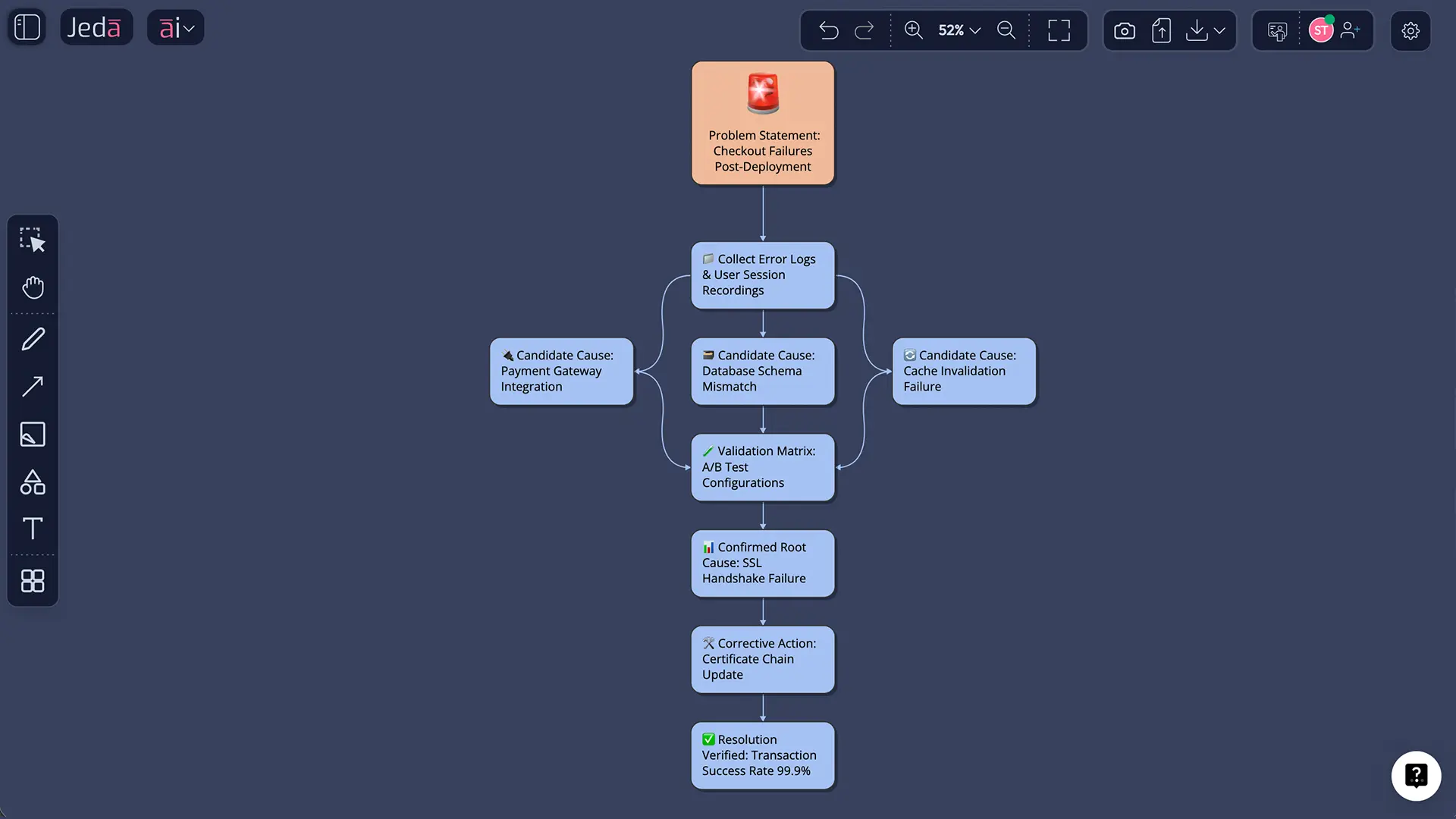
This is the best opening move when you want an immediate visual map of the issue and its likely branches. Jeda.ai has a dedicated Root Cause Analysis Diagram recipe, and it gives you a cleaner start than free-typing from scratch.
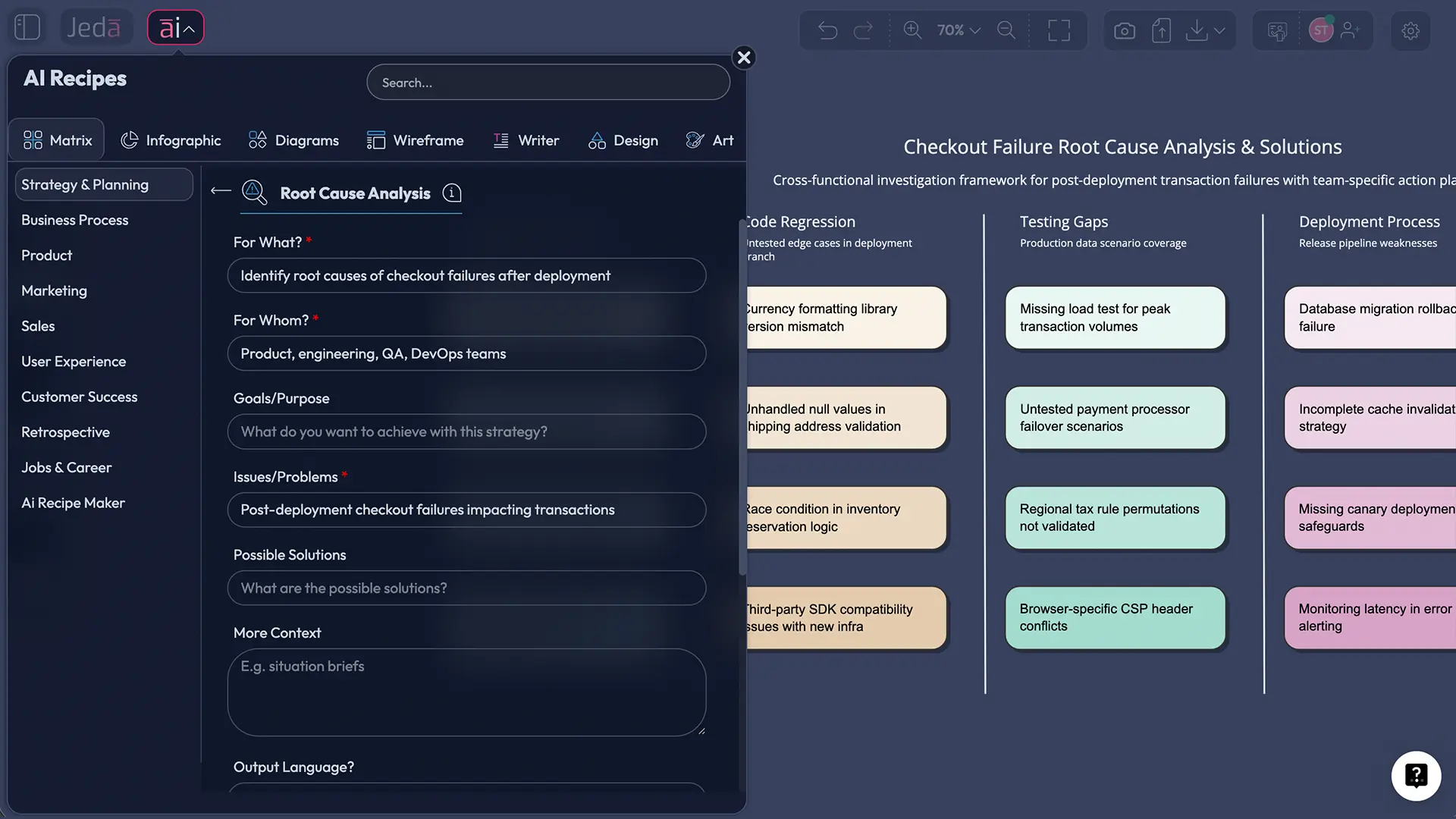
The useful detail is that the recipe lets you define the scenario, the audience, the purpose, and extra context, then choose the diagram type. That means the same investigation can be shaped as a Basic Diagram, Mind Map, or Flowchart depending on how your team thinks.
- Open the AI Menu
Click the AI Menu at the top-left of the canvas and go to Diagrams.
- Choose Root Cause Analysis Diagram
Select the Root Cause Analysis Diagram recipe so you start from a guided structure.
- Fill the core fields
Enter For what?, For whom?, Goals/Purpose, and Additional information. Keep the problem concrete.
- Pick the diagram type
Choose Basic Diagram for a classic RCA tree, Mind Map for broader exploration, or Flowchart for sequence-heavy failures.
- Set layout and model
Use horizontal or vertical layout, then pick a reasoning model or Multi-LLM setup if you want parallel viewpoints.
- Generate and tighten the board
Clean up weak labels and make sure symptoms are not pretending to be causes.
Method 2 — Use the Matrix Recipe for tighter review
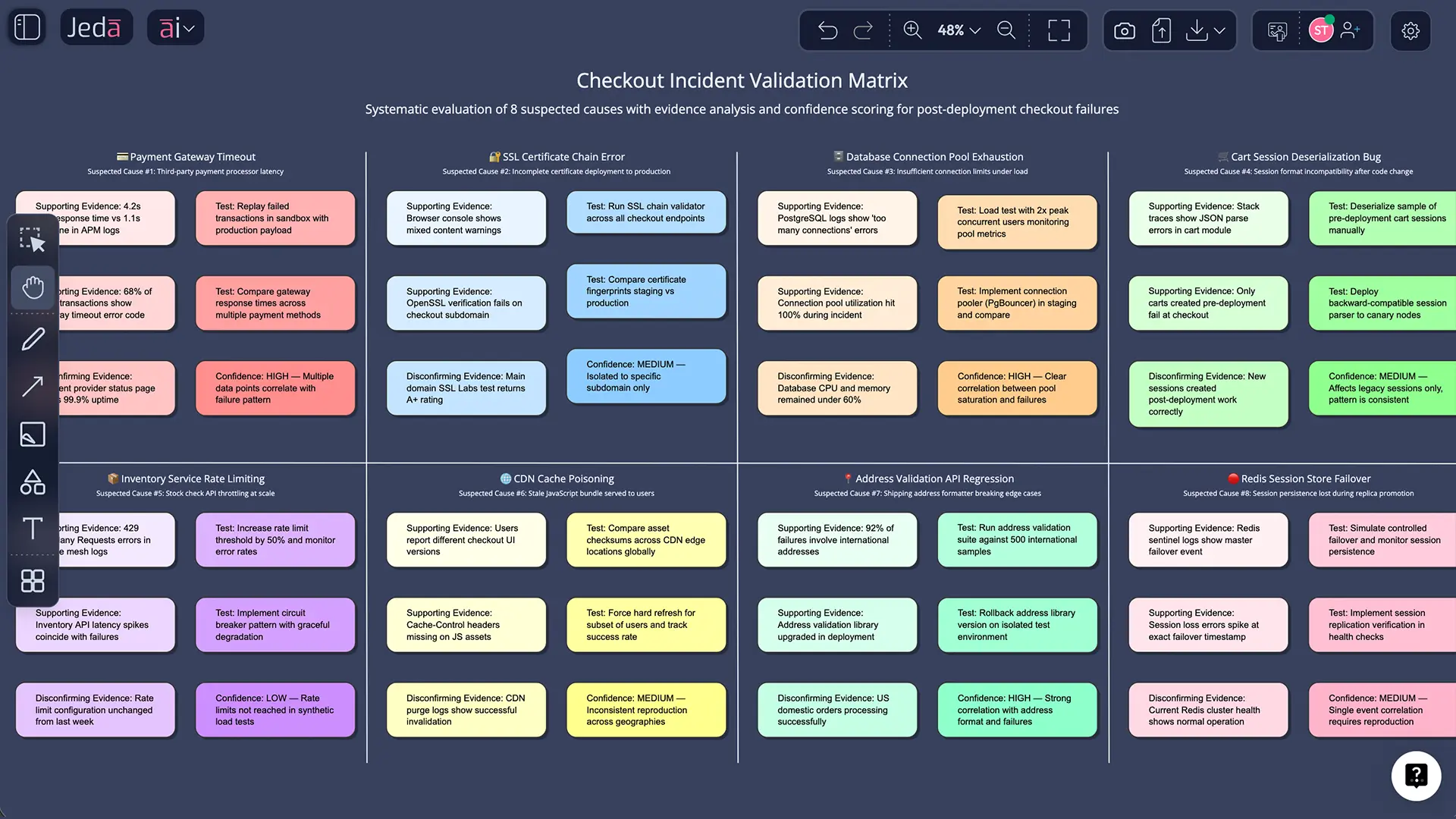
A diagram is better for exploration. A matrix is better when the team needs cleaner categories, easier comparison, and more discipline around proof. Jeda.ai also includes Root Cause Analysis under Matrix recipes, so this method works well for retrospectives, audits, and recurring operational issues.
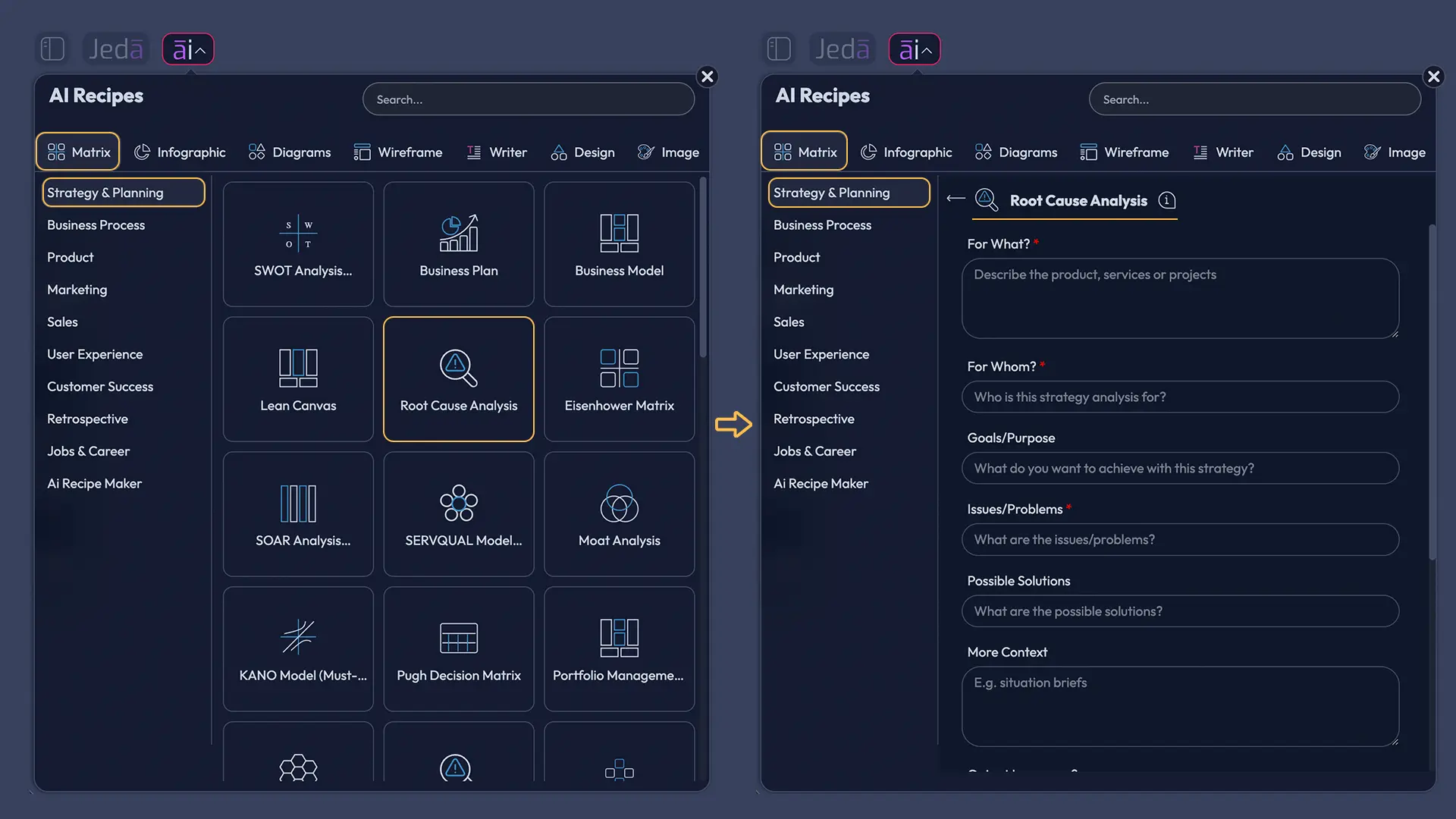
- Open Matrix Recipes
Go to the AI Menu and choose the Matrix category.
- Select Root Cause Analysis
Use the guided template rather than building row and column logic manually.
- Fill the guided form
Describe the issue, the affected process, and the context that matters to the investigation.
- Choose a layout
Use Auto for speed, Column for readability, or Grid for a denser review board.
- Generate and test the structure
Check that each item is a real cause, proof point, or action and not just a vague complaint.
Method 3 — Use the Prompt Bar for a custom diagram-first build
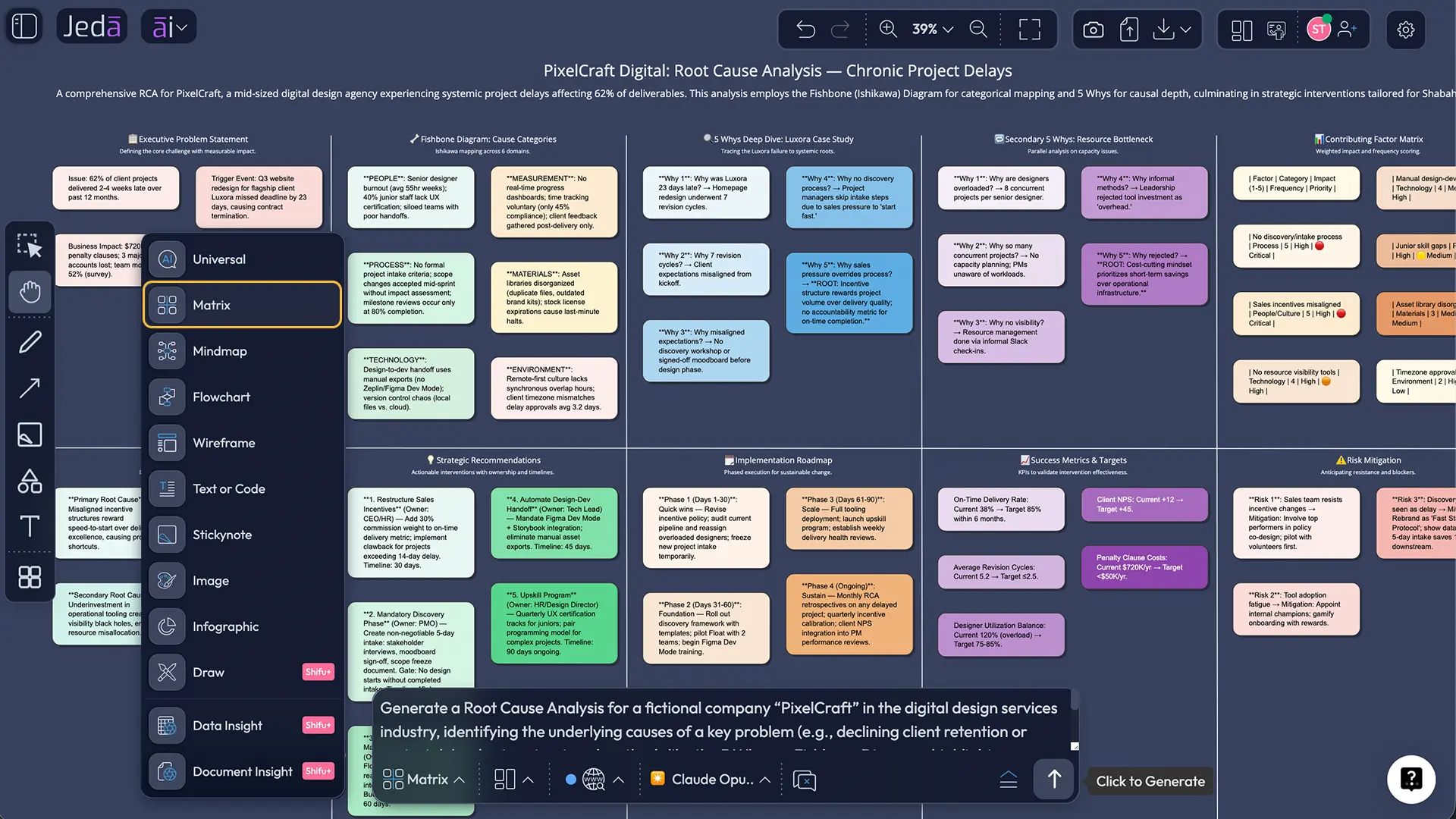
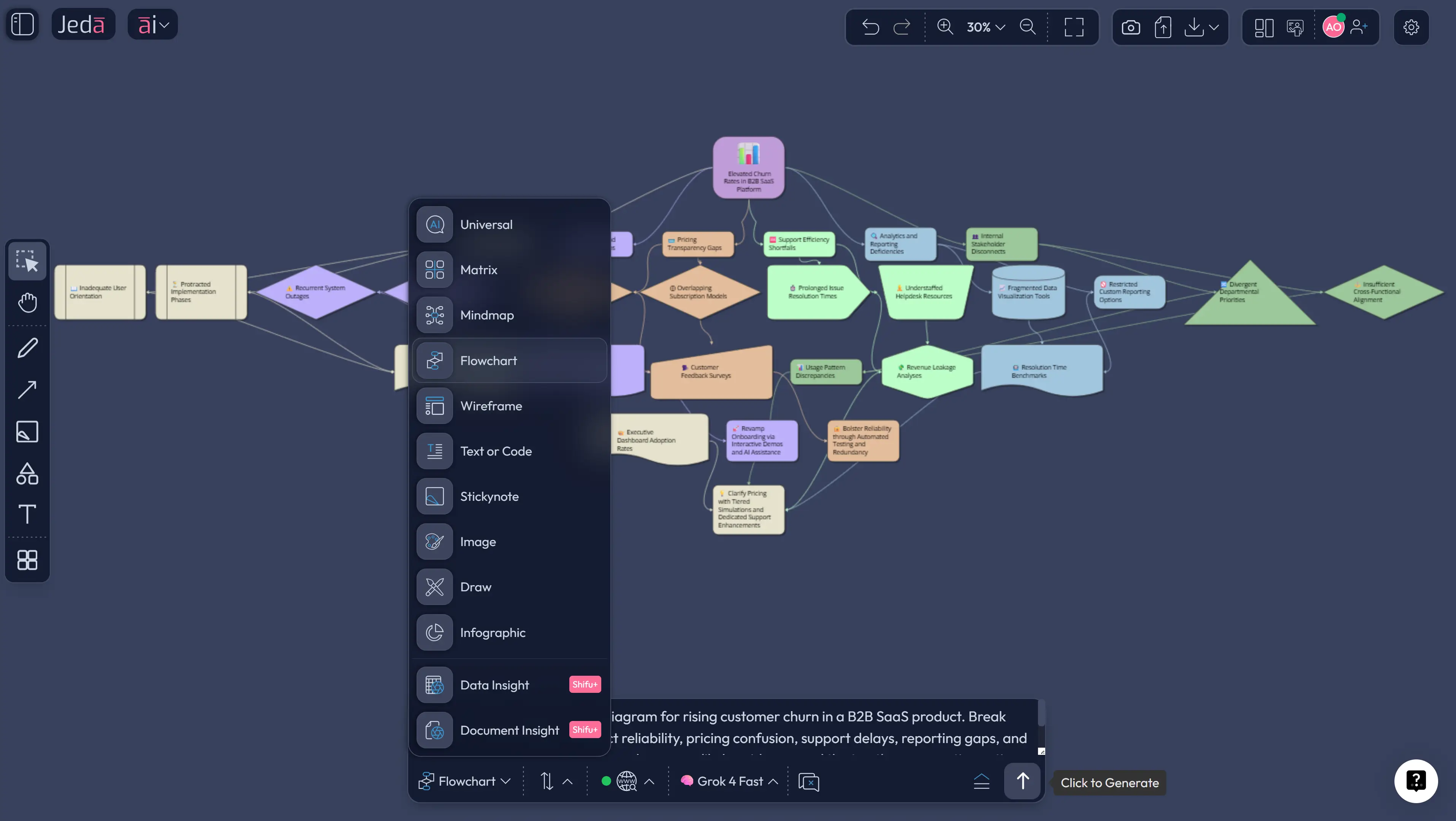
This is the most flexible route when you already know what you want. Open the Prompt Bar, choose Mind Map, set the layout, and tell Jeda.ai exactly what the board should include.
A practical prompt looks like this:
“Create a Root Cause Analysis diagram for rising customer churn in a B2B SaaS product. Break causes into onboarding, product reliability, pricing confusion, support delays, reporting gaps, and stakeholder misalignment. Show sub-causes, likely evidence, and the top three corrective actions. Keep the language executive-ready.”
If the issue is mostly sequential, switch to Flowchart. If the team needs clean proof buckets, switch to Matrix.
- Open the Prompt Bar
Use the Prompt Bar at the bottom of the canvas.
- Select Mind Map
Diagram is usually the best manual command for Root Cause Analysis with AI because branching stays clear and editable.
- Set horizontal or vertical layout
Choose the orientation based on how much branch depth you expect.
- Write a high-quality prompt
Name the problem, the context, the likely cause categories, and the output style.
- Turn on Web Search only when needed
Use it when current regulations, market changes, or external constraints affect the analysis.
- Generate and refine
Merge duplicates, remove symptom-only branches, and deepen thin areas with AI+.
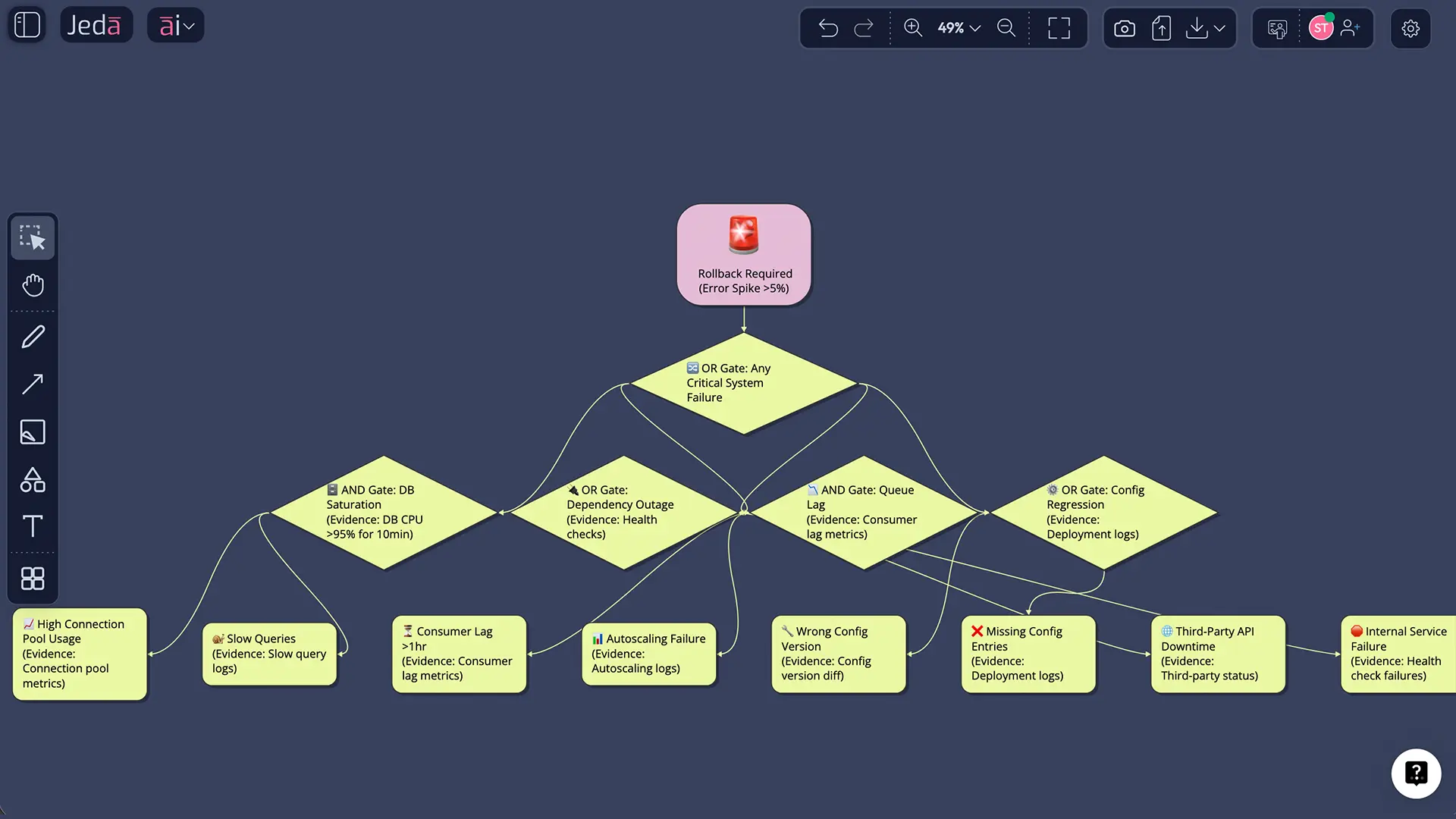
After any method, use AI+ to extend a weak branch. Keep the claim modest and accurate: AI+ is for extending and deepening the selected visual, not for issuing ultra-specific side quests. Then use Vision Transform if the same analysis needs a different format for the next discussion.
Root Cause Analysis template and example
Say an ecommerce team sees cart abandonment spike after a checkout redesign. The lazy answer is “customers did not like the new page.” A better RCA board would branch into payment friction, mobile layout issues, latency, coupon logic, trust signals, and decision trade-offs made during release.
Under payment friction, the actual issue might be address validation timing or wallet failure on one browser. Under trust signals, the cause may be hidden shipping costs or missing delivery estimates. That is the point of Root Cause Analysis with AI on a visual board: the team can see the causal logic, challenge it, and edit it in one place.
Best practices and tips
Common mistakes to avoid
The first mistake is treating the loudest explanation as the root cause. The second is stopping at human error without asking what made the mistake easy. The third is collecting cause branches without ranking which ones matter most. And the fourth is writing actions that sound soothing but do not change the system. “Be more careful” is not a corrective action. It is a wish.
Frequently Asked Questions
- What is Root Cause Analysis with AI?
- It is the use of AI to speed up, structure, and visualize root cause investigation. The aim stays the same: identify the causes that made the problem possible and reduce recurrence.
- Is a diagram better than a matrix for root cause analysis?
- Usually yes at the start, because a diagram exposes relationships quickly. A matrix becomes stronger later when the team needs cleaner categories, proof fields, ownership, and actions.
- How do fishbone and 5 Whys fit into RCA?
- Root Cause Analysis is the broader method. Fishbone is a visual tool for grouping causes. The 5 Whys is a questioning technique for drilling down. Strong RCA often uses both.
- Can I use Web Search in this workflow?
- Yes, when current external context matters. It is useful for policy changes, standards, competitor moves, or market shifts. It should support internal evidence, not replace it.
- What does AI+ actually do here?
- AI+ extends the selected visual. In an RCA workflow, that means deepening a branch, adding related sub-causes, or continuing the analysis around a chosen area.
- Can I convert the board into another format later?
- Yes. Vision Transform lets you turn the same investigation into another visual format, which is useful when the team moves from exploration to presentation or review.
- Can I export the final board?
- Yes. Jeda.ai supports PNG, SVG, and PDF export for finished boards. Do not assume native PowerPoint or Word export in this workflow.
- Who should use Root Cause Analysis with AI?
- Business analysts, project managers, product teams, consultants, quality teams, and engineering leaders all fit well. It also maps naturally to Product Design Engineers and Industrial Design Engineers because it is highly visual and structured.
- Does AI replace expert judgment in RCA?
- No. AI improves speed and structure, but the team still has to define the problem well, challenge weak branches, and choose actions that fix the system rather than the symptom.
Sources and further reading
- [1]
ASQ (n.d.) . “What is a Fishbone Diagram? Ishikawa Cause & Effect Diagram” American Society for Quality.
View Source ↗ - [2]
AHRQ PSNet (n.d.) . “Root Cause Analysis” Agency for Healthcare Research and Quality.
View Source ↗ - [3]
National Patient Safety Foundation (2015) . “RCA2: Improving Root Cause Analyses and Actions to Prevent Harm” AHRQ PSNet / IHI.
View Source ↗ - [4]
A. Kumah (2024) . “Cause-and-Effect (Fishbone) Diagram: A Tool for Generating and Organizing Root Causes” Journal of the Academy of Consultation-Liaison Psychiatry.
View Source ↗ - [5]
M. F. Peerally et al. (2017) . “The problem with root cause analysis” BMJ Quality & Safety.
View Source ↗ - [6]
Lean Enterprise Institute (2020) . “Our Burning Platform and Using the 5 Whys to Think More Deeply About Corrective Action” Lean Post.
View Source ↗
Start a sharper RCA on one board
Join over 150,000+ users building structured analysis inside Jeda.ai’s AI Workspace and AI Whiteboard.
Try Free Template