AI Flowcharts for Strategy Reviews and Stakeholder Buy-In

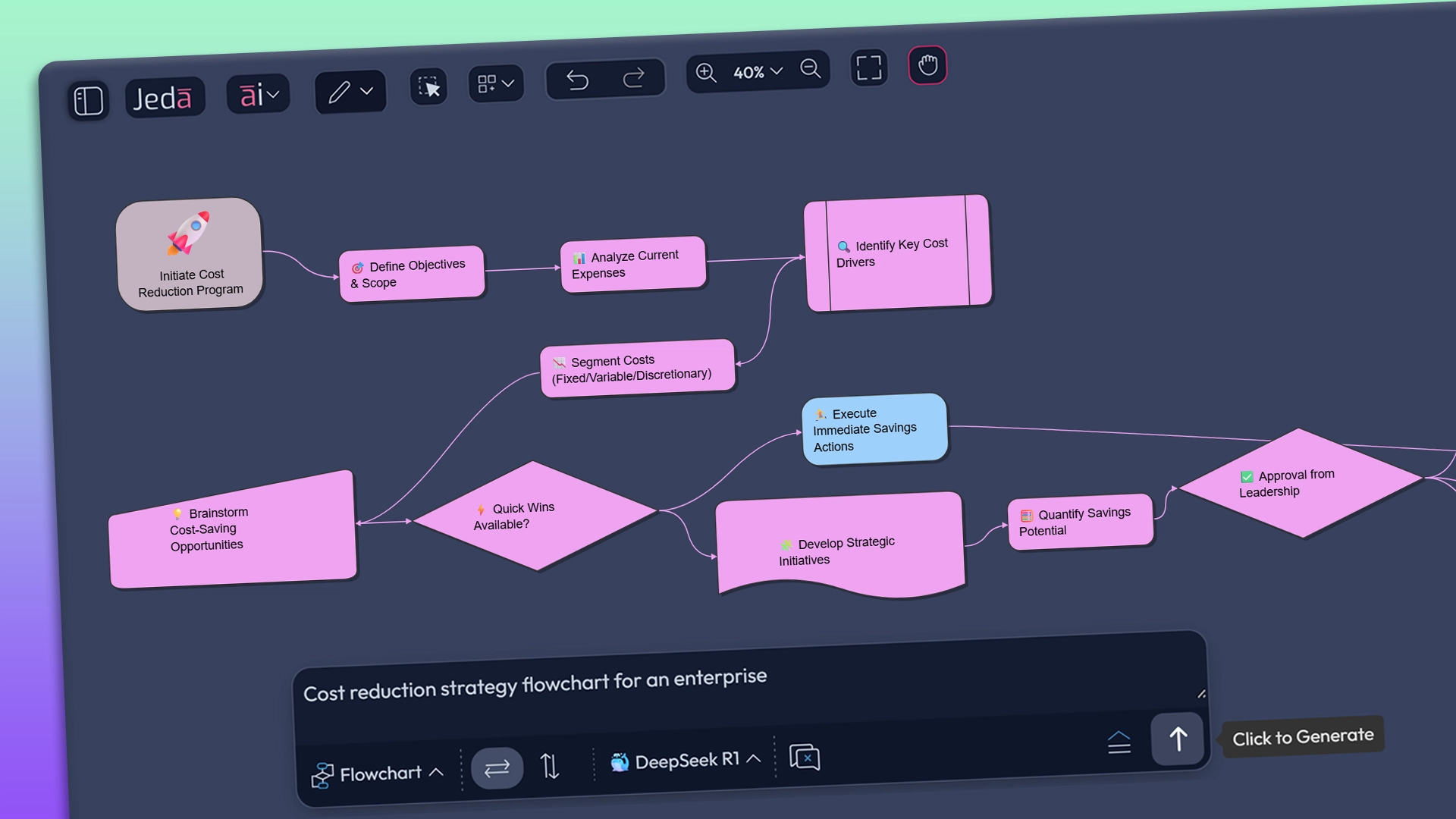
AI Flowcharts give strategy reviews a clear visual backbone. Jeda.si turns options and risks into structured flows, tests them with multiple AI models, and exports clean diagrams that help stakeholders see trade-offs at a glance.

Keep Strategy, Ops, and Product Aligned Visually with AI Flowcharts

Multi-LLM Reasoning That Surfaces Edge Cases Before Clients Do - 3× Clearer Decision Paths

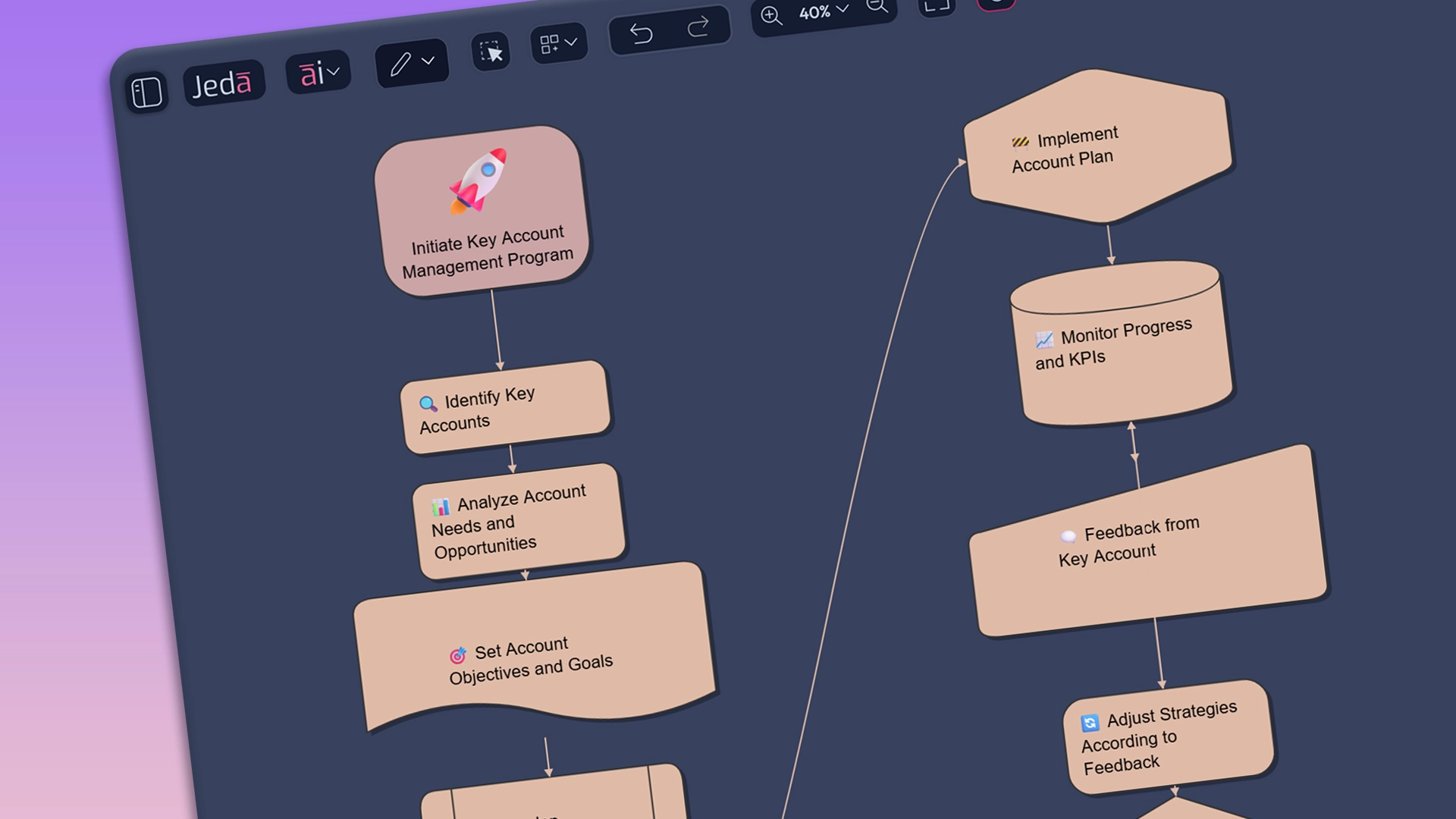
Framework templates powered by AI Flowcharts help firms keep strategy flows consistent across teams. New consultants get up to speed faster, senior staff cut rework by 40%, and every engagement benefits from reusable, battle-tested visual patterns. Engagements that lean on AI Flowcharts spend less time formatting and more time refining recommendations. Multi-LLM support cross-checks logic, cuts manual drawing by up to 60%, and helps partners walk into reviews with confident, traceable decision trees.

Generative AI Flowchart Diagram on Any Topic with Jeda.ai

Flowcharts That Keep You In Flow

Our AI Flowchart Maker creates and links nodes with Tab or connector clicks, colors parent and child paths, and drags to empty space to grow DFD or ERD flows without breaking discussion.

Jeda.ai - Elevate Low-Fidelity Wireframes with Ai-Powered Customization

Flowchart Styling Without Designer Headaches

Use AI Flowcharts with flexible connector styles, arrow directions, and 19 shapes to keep BPMN, Process Flow, and Duncker diagrams readable. Jeda.ai's AI Flowchart Tool lets you tune shapes, thickness, colors, and shadows in seconds instead of hours.

Customize Flowchart and Create Branches with Generative AI

Flowchart Recipes For Real Workflows

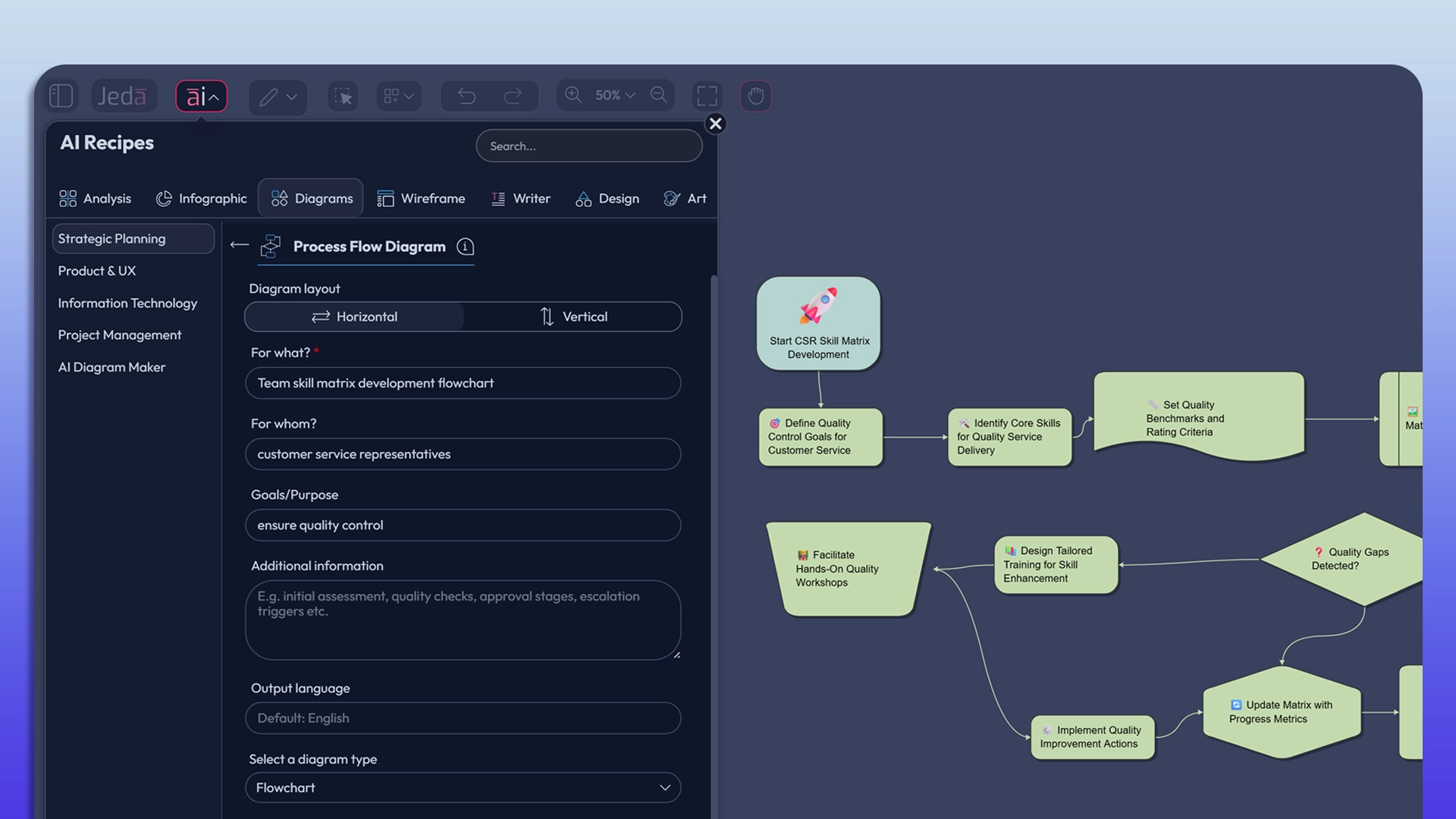
Pick a recipe in our AI Flowchart Generator and let multi-LLM AI Flowcharts build Dependency Trees, Process Flows, or Stakeholder Maps from your inputs, so consultants and EMBA classes skip blank pages and start from structured thinking.

Jeda.ai's Generative AI Unique Art - Refining Art with AI Advanced Prompting

Dynamic Prompts For Smarter Flowcharts

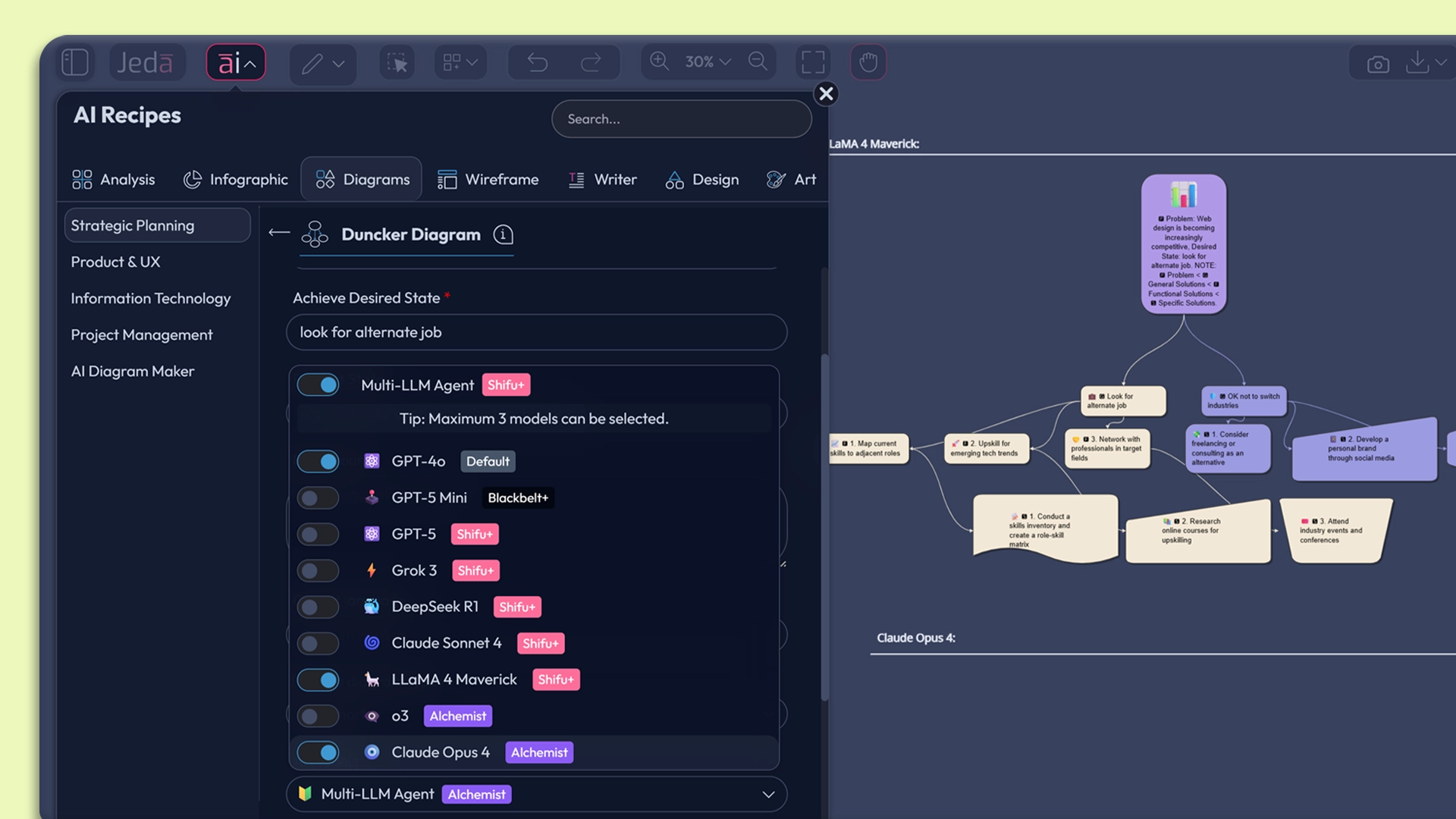
Type a question, choose Flowchart with AI command, and run up to three LLMs plus an aggregator across GPT, Claude, LLaMA, Grok, or DeepSeek. AI Flowcharts refine competitive analyses, exit paths, or risk flows without you rewriting prompts all night.

dynamic prompting

Slash Commands For Instant Flowcharts

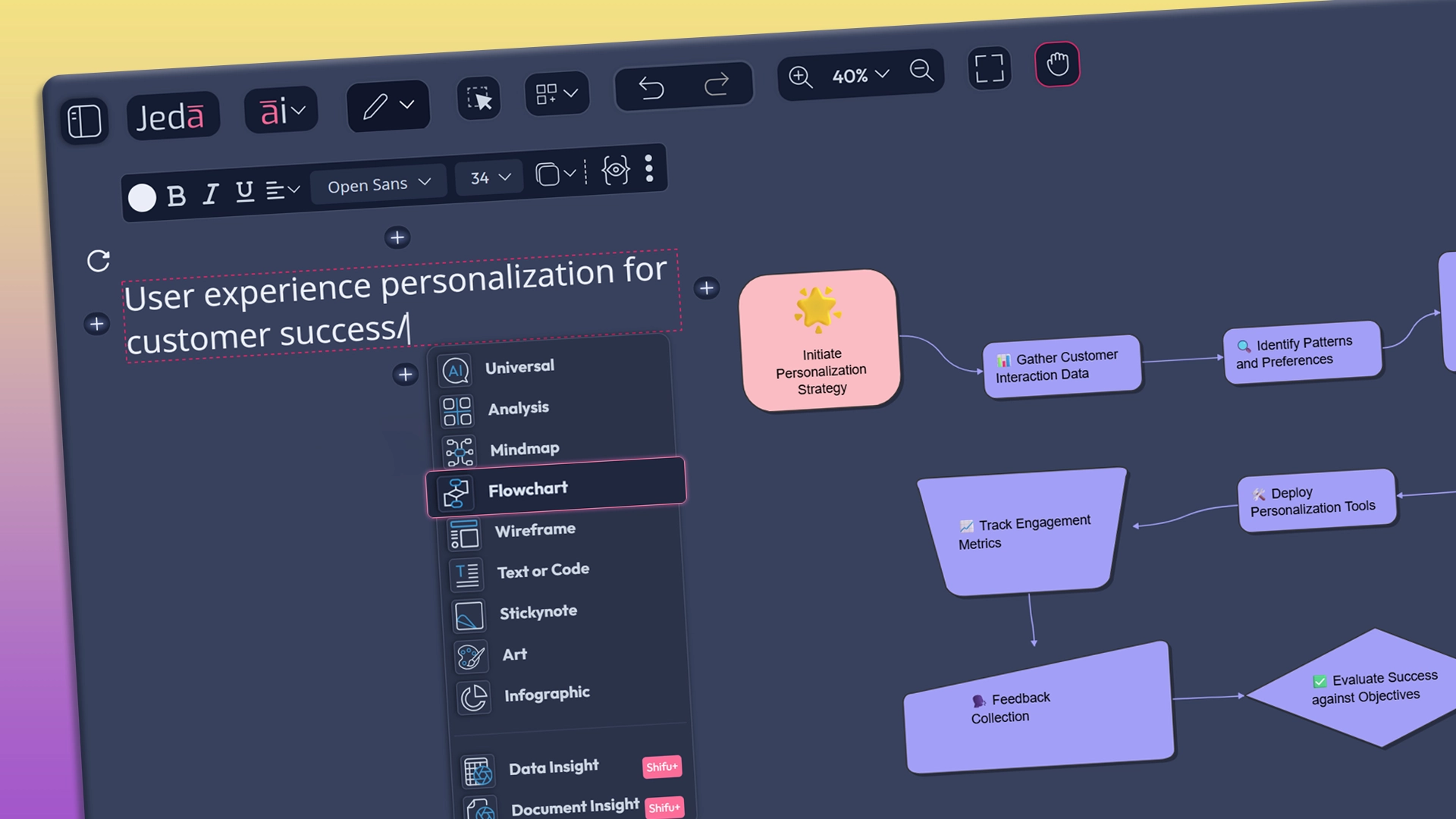
Write a sentence on the infinite AI Canvas, add a “/” to pick the Flowchart AI command, pick layout and models, and our AI Flowchart Software turns it into a clear Process Flow or User Flow - you name it. Jeda AI Flowchart platform keeps workshops moving instead of stalling on drawing boxes.

Smart Template Analysis Powered by Multiple AI Brains

Diagram Assistant: Never Stuck on the Next Step

Hover a step, tap ai+, and Jeda.ai's Diagram Assistant proposes downstream paths, edge cases, and exception branches while respecting the whole flow. Your AI Flowcharts evolve from basic lanes into rich, defendable processes before competitors have even mapped the happy path.

Jeda.ai's Generative AI Workflow with Flowchart

Make Every Diagram Stakeholder Ready - Flowcharts That Trigger Next Actions

Start with AI Flowcharts or a single AI Flowchart, then drop icons, stickers, sticky notes, screenshots, and PDFs around key steps. Turn a plain Org Chart or Sitemap into a brand story or wireframe - your AI Flowchart Platform keeps all in one workspace. From any node in your AI Flowcharts, fire other AI commands with a slash: turn a branch into a Duncker Diagram, User Journey, or Data Mapping view, so consultants and EMBA classes stay in one Visual AI workspace.

Enhance Jeda.ai's Generative AI Workspace with Streamlined Workflow

Flowcharts Built For Fast Slide Export

Design AI Flowcharts once, then copy-paste or download for slide decks and word processors. Unlike generic AI Flowchart Software, our AI Flowchart Maker preserves shapes from Network or Solutions Architecture diagrams so you edit on slides, not redraw overnight.

From Napkin to Boardroom, Automatically Visualized

AI Vision That Lifts Hand-Drawn Notes into
AI Flowcharts

Capture a phone photo of a napkin, sticky wall, or messy breakout and Jeda AI Vision turns the lines and labels into structured AI Flowcharts you can immediately edit. Instead of re-mapping decisions late at night, consultants and teaching teams test options with up to three LLMs plus an aggregator, tighten logic, and push clean flows straight into slide decks.

Learn more
Arrow - Elements Webflow Library - BRIX Templates

We Take Your AI Safety & Security Seriously

Rest easy knowing privacy and security are built into the core of Jeda.ai's Visual AI Workspace. Check out our Security Practices.

security concerns

Why High-Stakes Strategy Work Needs Jeda.ai,
Not Generic Diagram Tools

Why Teaching and Consulting Teams Run
AI Flowcharts on One Visual Canvas

Program directors and consulting partners share similar problems: scattered tools, time-consuming prep, and sessions that end as cluttered screenshots. Jeda.ai solves this by giving everyone a single Visual AI Workspace where case notes, research PDFs, and spreadsheets feed directly into structured visuals. During a live session, AI Flowcharts can show strategy options while User Journey Maps, Stakeholder Maps, or Network Diagrams sit alongside them on the same board. Up to three LLMs plus an aggregator help refine wording, sequence, and risk checks, so the flow is not just pretty but defensible. Afterward, the same board becomes a reusable asset: cohorts revisit the logic, and clients receive clear diagrams already aligned to slide decks. By removing tool sprawl and manual rebuilding, Jeda.ai keeps teaching and advisory work focused on insight, not admin.

Intelligent AI Flowcharts

Regenerative Workflow on Jeda.ai's AI Workspace

Save hours by auto-generating clear flows from prompts, notes, or sketches.

Multi-LLM Guidance

Realtime feedback with Generative AI

Multi-LLM keeps logic tight, surfaces gaps, and updates live as your discussion evolves.

Strategic Advantage

Enhanced Engagement with Generative AI

Reduce tool hopping, cut rework, and walk into client reviews with crisp, defendable flows.

Frequently Asked Questions

How to generate Flowcharts with AI

On Jeda.ai, after creating a Workspace, enter the topic at the AI Input bar at the bottom and select Flowchart AI command and click generate. You can also generate flowcharts directly from the Canvas, just type your prompt with a /flowchart command to generate.

Icon - Elements Webflow Library - BRIX Templates

Can I customize the color and shape of connecting arrows in my flowchart?

Yes, Jeda.ai's Generative AI Whiteboard provides easy-to-use formatting tools that enable you to change the color and shape of connecting arrows, enhancing visual clarity and customization.

Icon - Elements Webflow Library - BRIX Templates

Are there pre-designed templates available for Generative AI Flowcharts?

Jeda.ai offers Smart Template Analysis, which generates precision-rich templates on various topics, providing a head start for your flowchart creation process.

Icon - Elements Webflow Library - BRIX Templates

Can I lock specific flowchart parts to prevent accidental modifications?

Absolutely! Jeda.ai's Generative AI Canvas offers locking options that allow you to secure specific elements of your AI Flowcharts & Diagrams, ensuring the integrity and structure of your diagram.

Icon - Elements Webflow Library - BRIX Templates

Can I collaborate with team members in real-time on my Generative AI Flowcharts?

Certainly! Jeda.ai's Generative AI Workspace’s collaborative features allow multiple users to edit and provide feedback on flowcharts in real-time, fostering efficient teamwork and creativity.

Icon - Elements Webflow Library - BRIX Templates

Can I integrate Jeda.ai's Generative AI Flowcharts with other applications?

Jeda.ai currently focuses on providing an all-in-one Generative AI Workspace and does not offer integration capabilities with external applications.

Icon - Elements Webflow Library - BRIX Templates