AI Mind Maps for Teams Who Think in Systems

AI Mind Maps let system thinkers see the whole game, not just the next task. Capture everything on one canvas, ask multiple LLMs to expose blind spots, and turn maps into client-ready or exec-ready stories fast, so you never walk into a review under-prepared again.

System-Level Clarity Your Competitors’ Mind Maps Can’t Match

The Visual Nerve Center
Where AI Mind Maps Drive Decisions

With AI Mind Maps, ideas flow from discovery to decision on one canvas. Notes, frameworks, and actions stay linked, while several LLMs stress-test assumptions. Teams move to sign-off faster, as others keep rebuilding the same story in five different tools.

Jeda.ai's Generative AI Workflow with Flowchart

Mind Mapping That Feels Instant

With AI Mind Maps in Jeda.ai, tap Tab or the connector plus to spawn new nodes without leaving the keyboard. Mind Map with AI at the speed of conversation, so workshops and classes never stall for clumsy drawing tools.

Enhance Jeda.ai's Generative AI Workspace with Streamlined Workflow

Mind Maps That Stay Crystal Clear

Use our AI Mind Map Maker to style every branch: consistent connectors, line types, colors, and 19 shape options. Your AI Mind Mapping Tool keeps even huge BPMN, Org Chart, or Process Flow diagrams readable when everyone else’s boards dissolve into spaghetti.

dynamic prompting

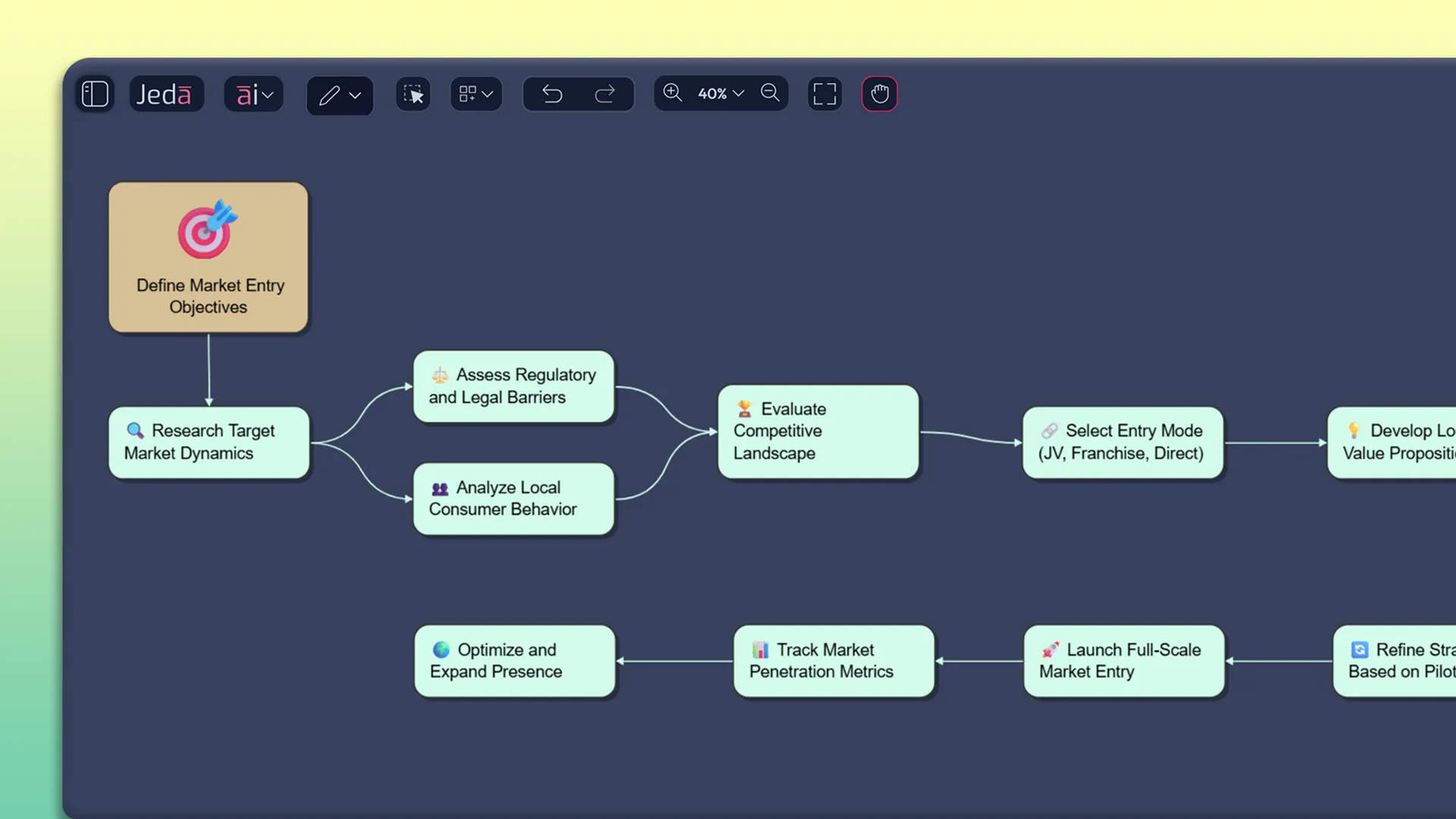
Recipes That Start Where Strategy Begins

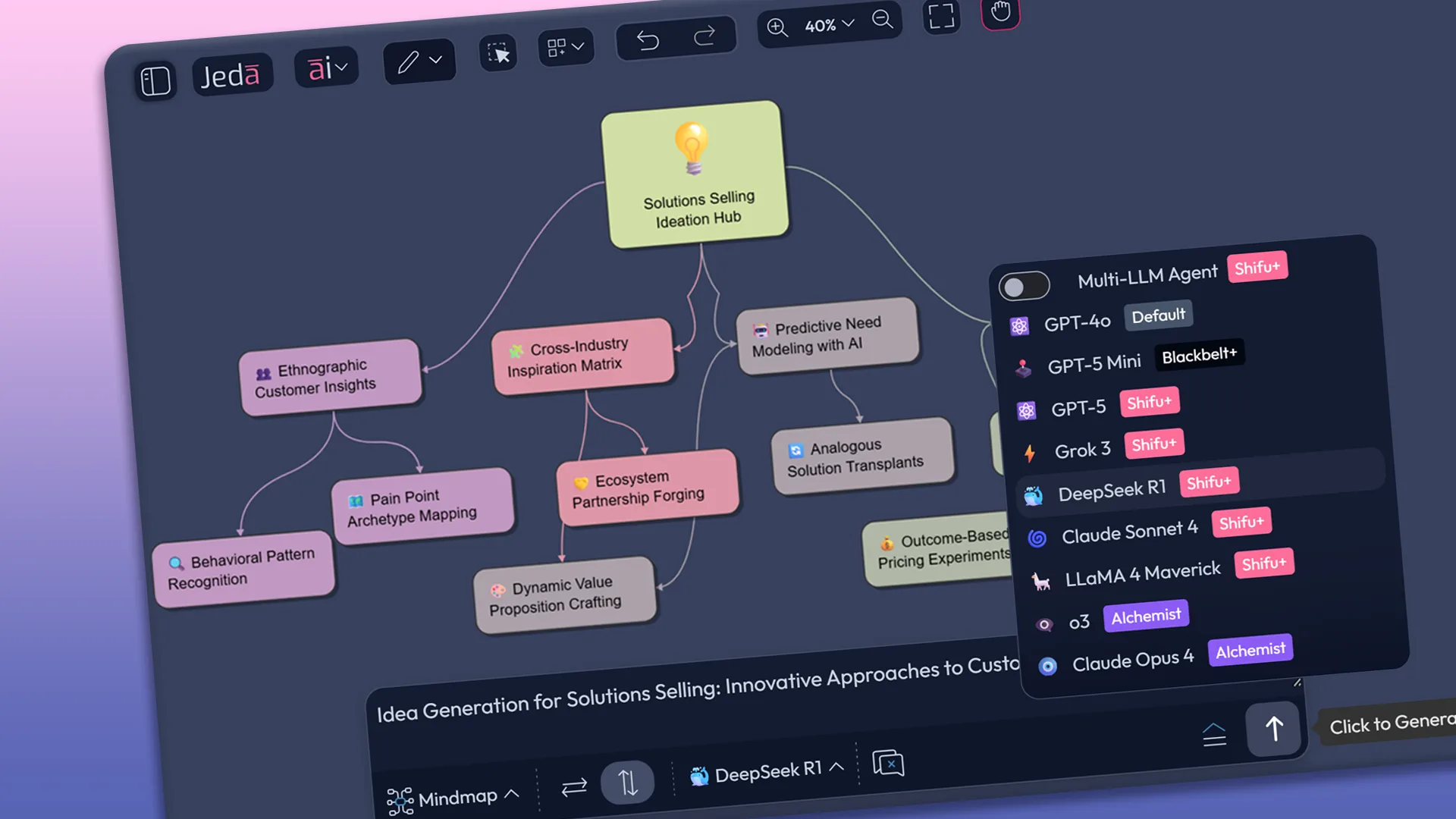
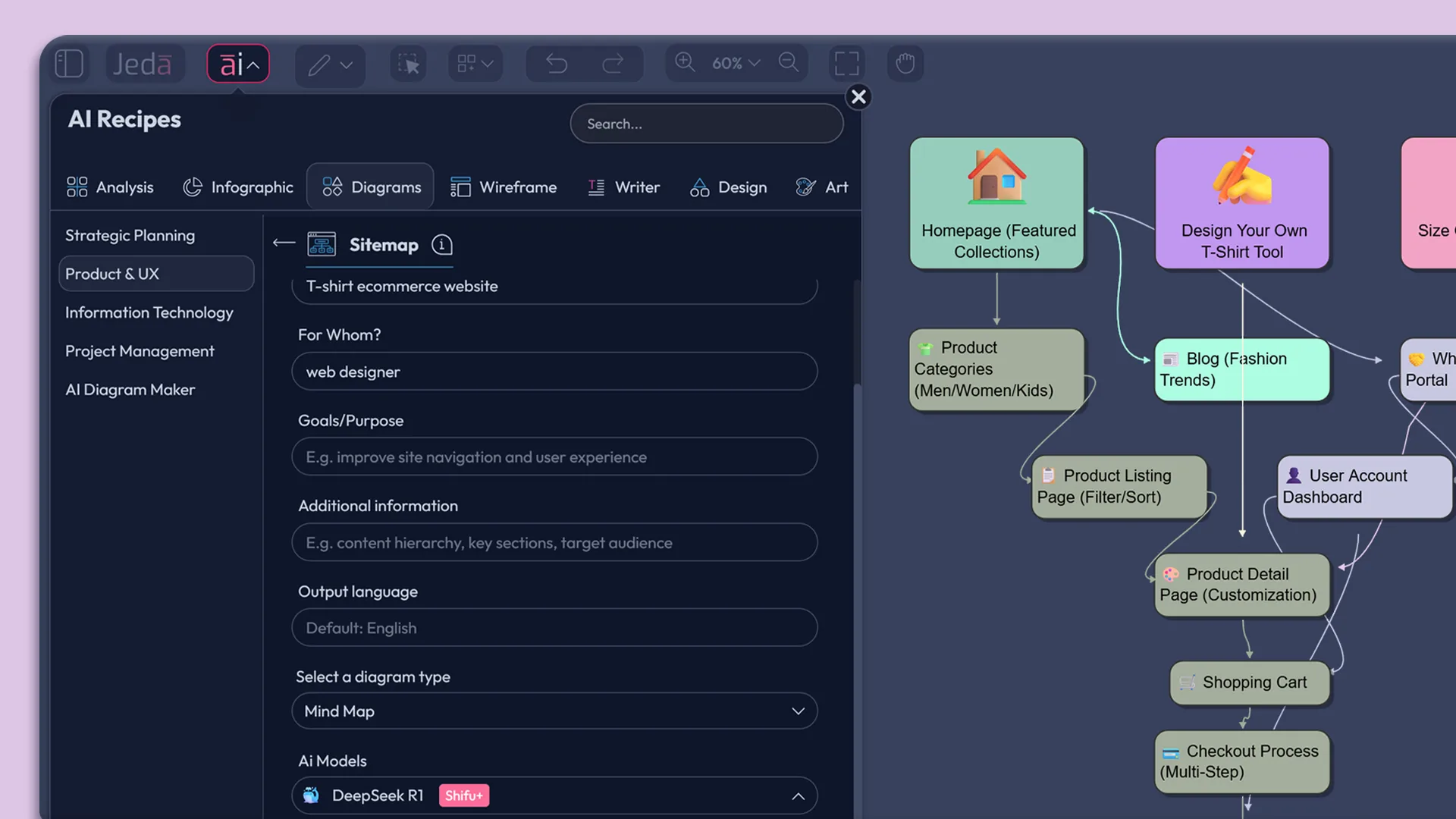
Fire up the AI Mind Map Generator with a Duncker Diagram template, then expand into Decision Trees, Process Flows, Org Charts, or Stakeholder Maps. Run up to three LLMs plus an aggregator across GPT, Claude, Grok, LLaMA, DeepSeek and more for sharper maps.

Jeda.ai - Elevate Low-Fidelity Wireframes with Ai-Powered Customization

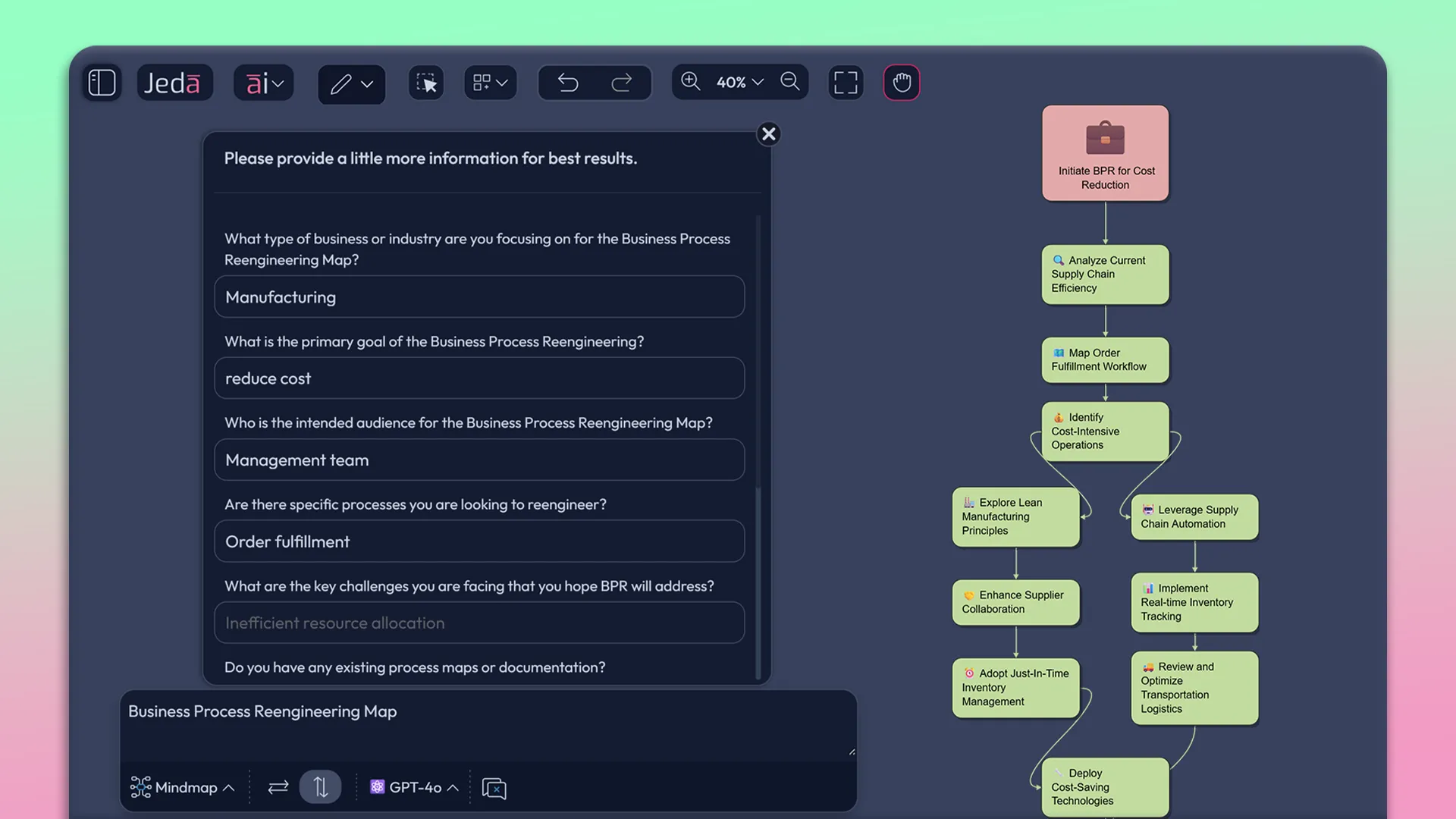
Prompts That Grow Into Real Insight

Type a question, pick the Mind Map AI command, and let Jeda AI fine tune your query. Let multiple models propose branches, counterpoints, and missing angles. AI Mind Maps turn blank-page dread into structured thinking, so Jeda.ai Mind Map Platform becomes the fastest way to stress-test any topic.

Jeda.ai's Generative AI in Workflow

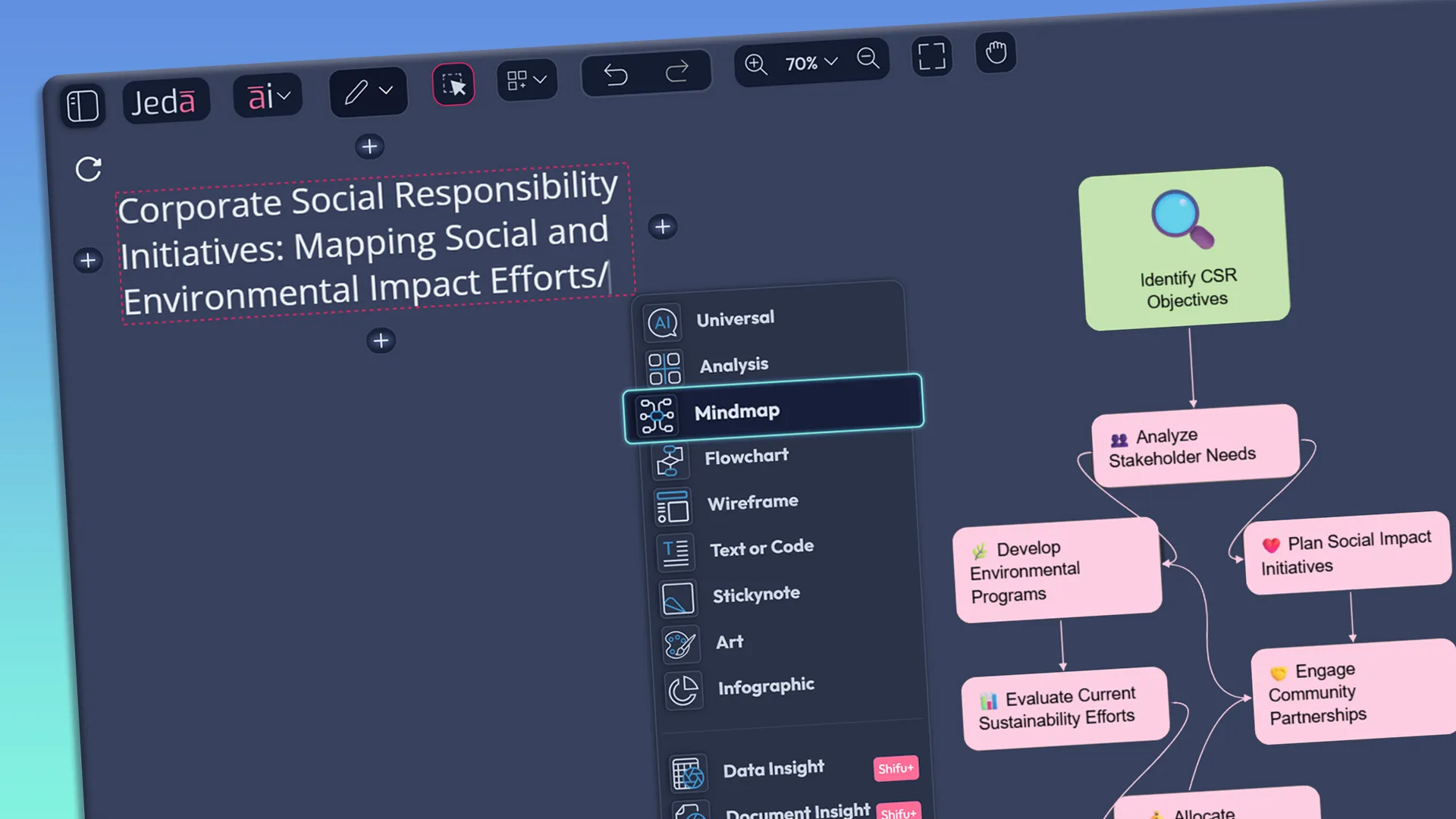
Slash Commands, Instant Mind Maps

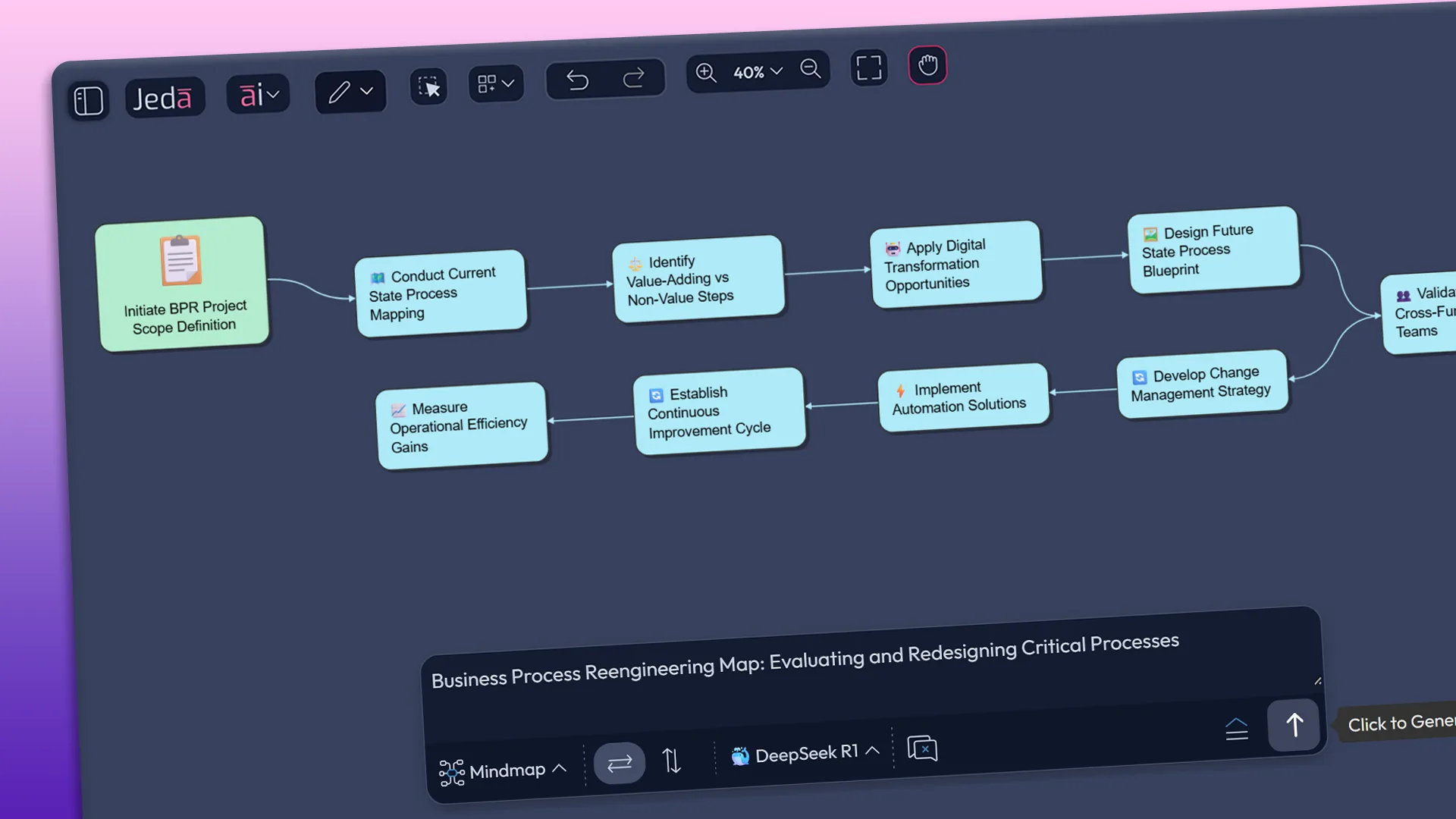
Write a phrase on the canvas, hit a “/” to choose the AI command, layout and models, and watch Jeda.ai's Mind Maps build the first structure in seconds. Your AI Mind Mapping Software jumps from rough idea to usable map before competing teams even open their tools.

Smart Template Analysis Powered by Multiple AI Brains

Diagram Assistant: Deep Thinking in One Click

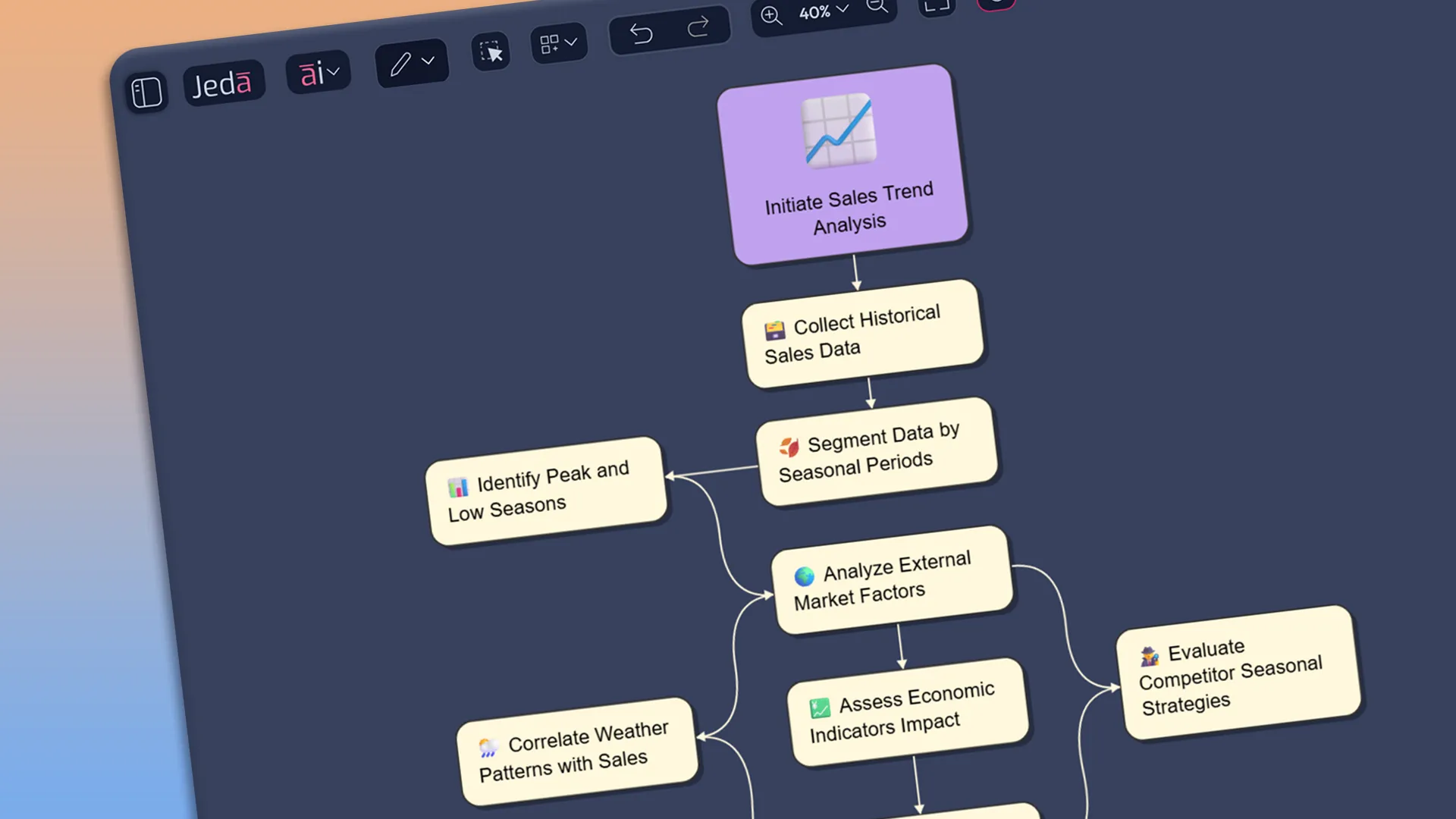
Sit on a single idea, hit ai+, and Jeda AI Diagram Assistant spins out related concepts, risks, and opportunities using the full map as context. Your AI Mind Maps gain depth in seconds, so you walk into reviews over-prepared while everyone else is still filling first-level branches.

Captain Jeda and Bob creating visual dashboard from data

Make Every Map Tell the Story

Start with AI Mind Maps, then surround key branches with sticky notes, icons, screenshots, stickers, and more. This Mind Map with AI becomes a living brief for clients and cohorts instead of a flat picture that dies as a screenshot.

Jeda.ai's Generative AI Unique Art - Refining Art with AI Advanced Prompting

Mind Maps That Trigger Next Moves

From any node in your AI Mind Maps, launch other commands with a slash: spin a branch into a Root Cause Analysis, Network Diagram, or User Journey. The AI Mind Map Platform becomes the control room for the multi-modal Visual AI Workspace.

Jeda.ai's Enhanced Mind Map Embellishment

Mind Maps Built for Pitch Decks

Design in the AI Mind Maps, then copy-paste straight into decks or download and drag into slides with no redraw. While others rebuild diagrams at 1 a.m., your AI Mind Mapping Tool already has consultant-ready and cohort-ready visuals lined up.

Never Let a Brilliant Whiteboard Die as a Photo

AI Vision That Upgrades Static Captures
Into AI Mind Maps

Whiteboards, notebook margins, printed diagrams - AI Vision treats them all as inputs. Once inside Jeda.ai, they become AI Mind Maps you can expand with prompts, connect to data, and export to slides, leaving copy-paste workflows behind for good. Old workshop photos and case diagrams do not stay stale. Feed them to Jeda AI Vision and they return as AI Mind Maps you can extend, restyle, and link to new data, keeping institutional knowledge alive instead of buried in folders.

Learn more
Arrow - Elements Webflow Library - BRIX Templates

We Take Your AI Safety & Security Seriously

Rest easy knowing privacy and security are built into the core of Jeda.ai's Visual AI Workspace. Check out our Security Practices.

security concerns

Why Jeda.ai Makes “We’ll Clean This Up Later” Obsolete

Why Jeda.ai BEATS Generic Mind Mapping Apps
on Day One

Unlike basic diagrams, AI Mind Maps in Jeda.ai sit beside flowcharts, data views, and documents on one canvas. GPT, Claude, Grok, LLaMA, and DeepSeek refine branches together, giving you 3× richer viewpoints with zero tool hopping. Every workshop becomes structured AI Mind Maps instead of forgotten photos. Themes, risks, and decisions stay linked to docs and data, so teams reuse winning patterns and stop rebuilding the same thinking from scratch every quarter.

Ideas, Uncluttered

Jeda.ai - Stimulate Creative Thinking

Catch scattered thoughts and turn them into tidy, connected branches.

Shape Your Thinking

Instant Editing on Jeda.ai's AI Whiteboard

Add, drag, and restyle nodes without slowing creative momentum.

Collaborate in Context

Jeda.ai's Generative AI - Widespread Compatibility

Everyone contributes on one canvas, seeing decisions form together.

Frequently Asked Questions

Is it possible to create mind maps on any given topic?

Absolutely, the power of Jeda.ai's Generative AI enables the creation of mind maps on any topic.

Icon - Elements Webflow Library - BRIX Templates

How customizable are the mind maps?

With Jeda.ai, customization knows no bounds. You are free to create branches, add, remove and even modify elements to bring your unique mind map to life.

Icon - Elements Webflow Library - BRIX Templates

Could other AI features integrate with mind map generation?

Yes, Jeda.ai's AI features are designed to blend seamlessly with mind map creation, boosting the productivity of your workflow.

Icon - Elements Webflow Library - BRIX Templates

How does Jeda.ai facilitate collaboration?

Jeda.ai's Generative AI Canvas fosters a conducive environment for collaboration, allowing for collective decision making and joint brainstorming sessions.

Icon - Elements Webflow Library - BRIX Templates

Can I export mind maps created in Jeda.ai to other file formats?

Yes, Jeda.ai allows you to export your mind maps in popular format such as PNG, making it easy to share and collaborate with others or use them in different applications.

Icon - Elements Webflow Library - BRIX Templates

Can I import text or outline from other places?

Yes, you can copy and paste any external texts to Jeda.ai Workspace and then double click to edit and then at the end of the line enter /mindmap to generate mind map from your text inputs.

Icon - Elements Webflow Library - BRIX Templates