
🔍 AI Vision, Upgraded: On-Canvas Strategy Thinking for Serious Operators - Jeda.ai
This release is all about one thing: making AI Vision feel less like a magic trick and more like a serious strategic instrument for people who actually own outcomes - business consultants, strategy leads, and decision makers.
You don’t just need “AI answers.”
You need defensible thinking, clear frameworks, and auditability.
That’s exactly where this upgrade hits.
1. New Strategy Brains: User Persona, JTBD, DFC & AWR Matrix Recipes
We’ve leveled up the Matrix AI Recipes so they map to how real strategy work actually happens.
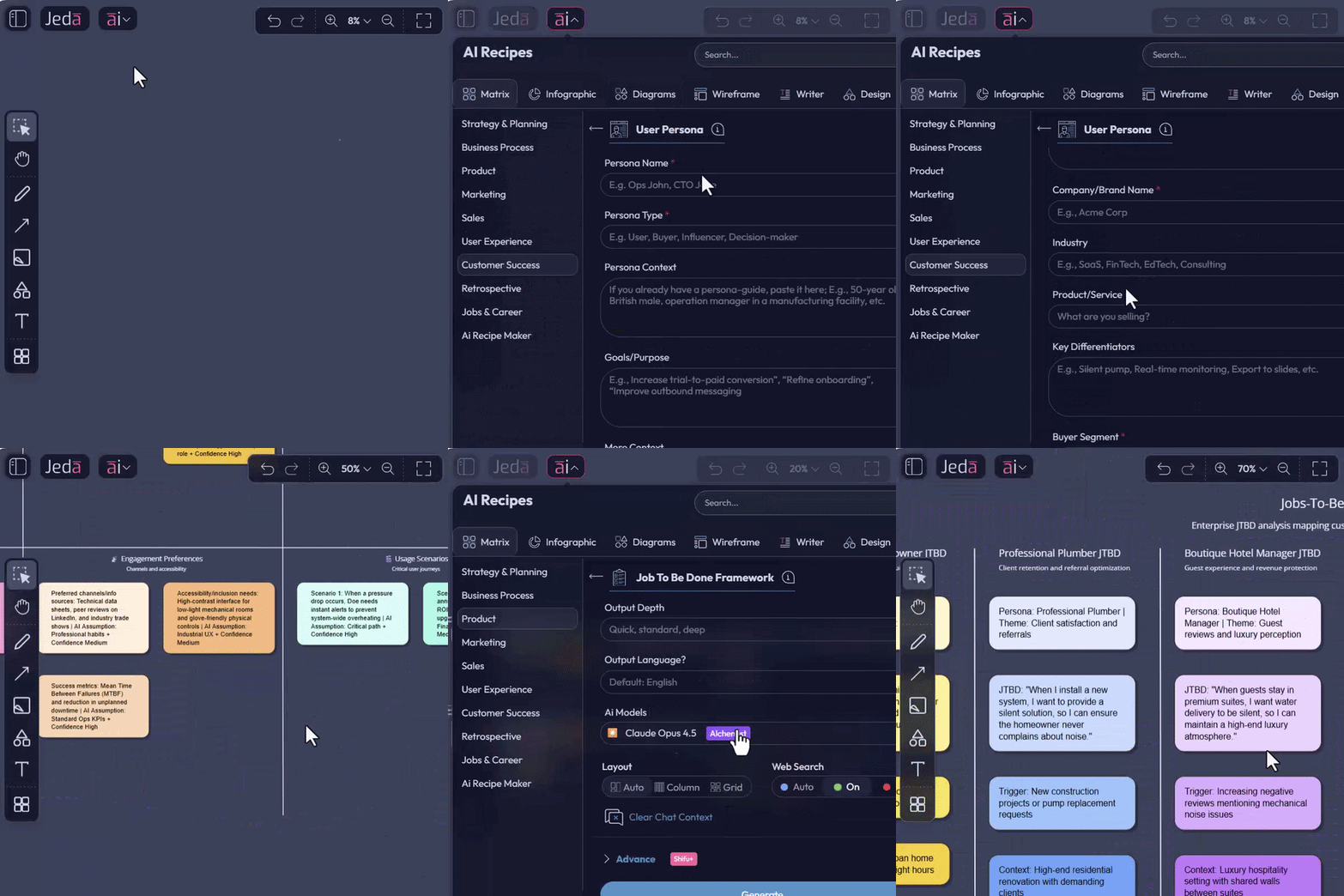
Upgraded: User Persona & Jobs To Be Done
The User Persona and Jobs To Be Done (JTBD) matrices are now tuned for sharper, more usable outputs -
🎯 Clearer segmentation of who you’re serving.
🎯 Deeper articulation of what job they hire your product/service to do.
🎯 Cleaner separation of functional, emotional, and social jobs.
For consultants and MBA cohort decision makers, that means -
🎯 Faster persona boards for discovery workshops.
🎯 Cleaner JTBD maps to align product, marketing, and ops.
🎯 Ready-made artifacts to drop into decks without reformatting from scratch.
New: DFC Opportunity Discovery Framework
Say hi to the DFC Matrix:
🌟 Demand – Is there real pull?
🌟 Friction – What’s blocking adoption?
🌟 Change – What shifts are opening this opportunity?
Use the DFC recipe to:
🌟Scan markets for where demand is rising,
🌟 Identify frictions you can uniquely remove,
🌟 Anchor it all in change drivers (tech, regulation, consumer behavior, etc.).
Perfect for:
🌟 Market scans in early engagements.
🌟 Innovation / new-product workshops.
🌟 Executive off-sites where you have to explain "why now" with clarity.
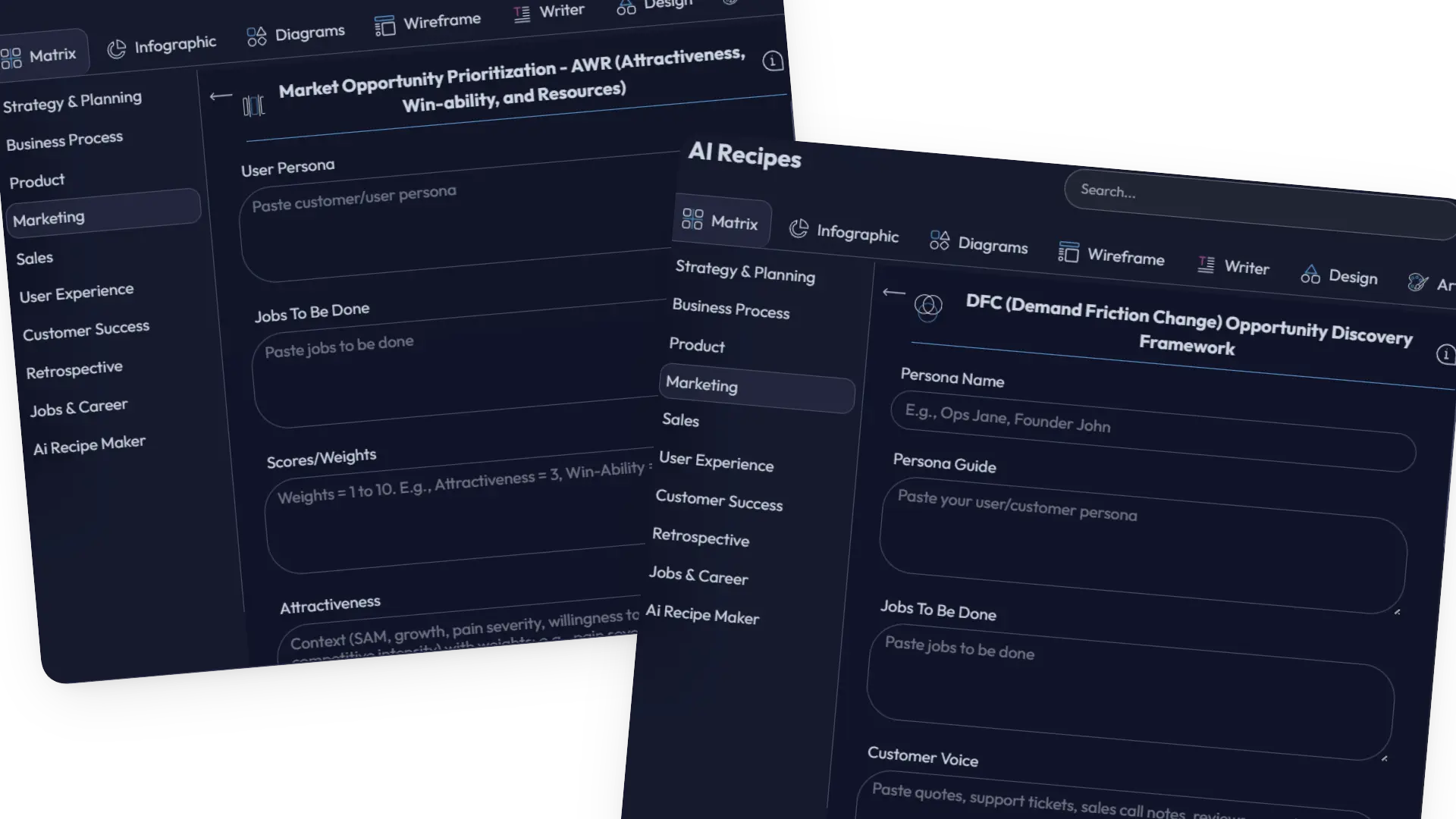
New: AWR Market Opportunity Prioritization
Then there’s AWR:
💫 Attractiveness – Is this worth winning?
💫 Win-Ability – Can you realistically win?
💫 Resources – Do you have (or can you get) what it takes?
This gives you a way to sort opportunities by:
💫 Strategic upside
💫 Competitive position
💫 Resource intensity
Consultant reality: You’re always asked “Which one first?”
The AWR Matrix turns that into a structured, visual argument, not a gut-feel shrug.
2. Web Search with Clickable Citations: Trust What You See
AI without provenance is just creative writing.
So we’ve made real-time web search more transparent and usable.
When you run AI commands with Web Search enabled, your output may now include references and links:
🔗 Citations appear inline or near relevant sections.
🔗 Hover over a citation → you see:
- Source name
- URL
🔗 Click the citation hover card → you go straight to the source.
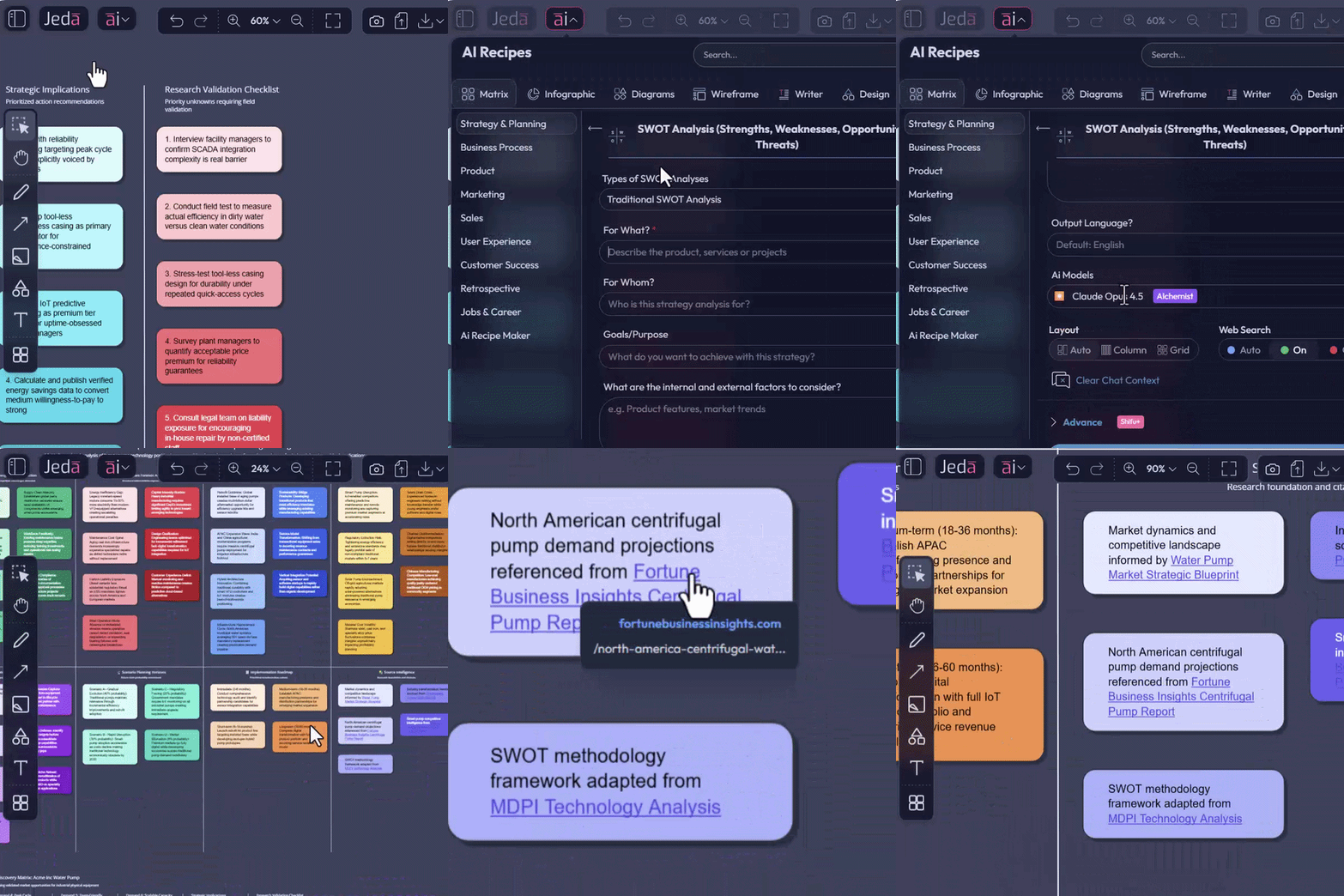
What this unlocks:
🔗 Client trust:
Show exactly where the numbers or claims came from. No more “just trust the AI.”
🔗 Faculty confidence (MBA/EMBA):
Give students AI-generated summaries that still point them back to real sources.
🔗 Faster validation:
Quickly reality-check market sizes, trend claims, or benchmark hints without switching tools endlessly.
AI Strategies are no longer just “smart.”
They are inspectable.
3. AI Vision + AI Recipes on Selected Objects: Iteration in Place
This is the big one!
Previously, you could:
🔎 Select one or more objects on the canvas.
🔎 Run a query in the AI Prompt Bar.
🔎 Have AI Vision work on that selection.
Now, that same selection-aware intelligence is available inside AI Recipes as well.
How it works
🔎 Select an object or group of objects:
It could be a mind map, a cluster of sticky notes, a matrix, an imported screenshot, etc.
🔎 Open the AI Recipes panel:
You’ll see a thumbnail of your selection inside the recipe interface.
🔎 Choose any relevant recipe and fill in your fields as usual:
Strategy templates, JTBD, Persona, DFC, AWR, and 300 more.
🔎 Hit Generate:
The recipe runs on the selected content, powered by AI Vision.
To go back to the classic behavior:
👉 Cross out the thumbnail or,
👉 Click outside the selection range to clear it;
👉 Then run recipes as usual on fresh input.

Why this is huge for consultants & decision makers
Because this turns your board into a living, iterative knowledge surface, not a graveyard of static outputs.
Here’s what you can now do in place, on existing diagrams, metrices, and notes:
🔁 Regenerate with different input:
👉 Select an existing matrix or diagram you built earlier.
👉 Plug in a new angle or updated constraints into a Matrix recipe.
👉 Get a refreshed, alternative view on the same visual foundation
Possible Use cases, but not limited to:
- “Show me the same AWR analysis but under a recession scenario.”
- “Re-run Persona focused only on enterprise buyers.”
✅ Correct or tighten the output:
Not happy with how something landed?
👉 Select the messy output.
👉 Use a recipe with instructions like:
- “Tighten this to C-level language”
- “Make it MBA-teaching ready”
- “Align this with the 3-pillar strategy narrative”
AI Vision + Recipes now act like an on-board editor for your canvas content.
🔎 Deep dive: from overview to zoomed-in intelligence
You can:
- Select one branch of a mind map.
- Run a JTBD, DFC, or AWR recipe just on that portion.
- Turn a simple branch into a deep strategic drill-down without moving to another tool.
Perfect for:
- Turning a scribbled workshop output into a refined case study.
- Going from “brainstorm output” to “executive recommendation” in fewer steps.
- Giving students or stakeholders a structured deep dive on the exact area that mattered in the discussion.
This is AI Vision evolving from “process this thing” into “iterate on my thinking where it lives.”
4. Performance Improvements & Bug Fixes
We’ve also shipped -
🔎 Faster behavior around:
- Object selection
- Recipe loading
- AI Vision operations
🔎 Stability fixes for edge cases in:
- Grouped selections
- Web search outputs
- Large-board operations
Translation for you -
🔗 Less lag when working on big, complex boards
🔗 Fewer interruptions mid-session
🔗 More confidence running AI in front of a live audience or client
Wrapping Up
This isn’t just AI that draws more boxes.
It’s AI that helps you see, stress-test, and evolve your thinking directly on the board, with frameworks and references that executives and students can trust.
If you do strategy for a living, go select a cluster of sticky notes, open a Matrix recipe, and run a DFC or AWR deep dive.
You’ll feel the shift.


.png)


%202.svg)