Manual Effort
Drawing process diagrams by hand involves arranging shapes and connectors.
Manual diagramming involves arranging shapes and connectors.
Drawing process diagrams by hand involves arranging shapes and connectors.
Limited by your own knowledge — strategic blind spots go unnoticed.
No analytical framework templates or automated logic built in.
Static diagrams go stale the moment processes change.
Emailing screenshots and praying for version control sync.
Layout changes can involve repositioning shapes and connectors.
Review process logic with the Multi-LLM Agent
Generate a flowchart draft from a process description.
Multi-LLM Agent consensus catches edge cases across three AI perspectives.
300+ AI Recipes for analytical frameworks and industry templates.
Data Insight and Document Insight convert files to flowcharts.
Real-time shared canvas with live cursors and shared editing.
AI auto-layout with semantic color-coding and professional alignment.
The Multi-LLM Agent compares interpretations of your prompt. Review the selected structure and refine it with your team.
Hand-drawn sketch? Old screenshot? Photo of a whiteboard from 2019? AI reads it and rebuilds it as an editable flowchart. No other ai flowchart generator does visual-to-visual conversion like this.
Select a node. Hit AI+. Watch it expand with logic branches, sub-processes, or alternative flows — without regenerating the entire diagram. Just the part that needs work.
Jeda.ai's platform searches the web while generating your flowchart — this is a platform feature, not something the LLMs do on their own. Reference current market data, compliance standards, or competitor info and AI incorporates live results into the diagram logic automatically. Your flowcharts reflect what's happening now, not what some model learned six months ago.
RACI charts, decision matrices, Porter's Five Forces flows. Pre-built AI Recipes that generate strategic diagrams from prompts.
Flowchart, Diagram, Mindmap, Whiteboard, and Infographic commands share a collaborative canvas. Start with a flowchart and develop related visuals in the workspace.
A full AI powerhouse — the most powerful language, reasoning, and image models packed together for every use case. Jeda.ai's Multi-LLM Agent runs multiple models simultaneously, picks the best output, and delivers smarter results than any single model alone.
Build flowcharts with a flowchart generator from text. The prompt bar flowchart workflow starts by selecting /flowchart; that is the flowchart command syntax, while the process stays in plain English. Try these flowchart prompt examples: "Map customer onboarding with yes/no decision paths" or "Show bug triage with exception handling branches."
Describe in your own words
One command to generate
"Map a customer checkout flow with payment decision points and error handling"
Create a flowchart from PDF manuals or a flowchart from document notes. Document-to-flowchart extraction drafts the steps and choices for review. Check process step extraction against the source; decision point detection needs your criteria and context. PDF workflow extraction is a starting draft, so verify each branch with the process owner.
PDF, DOC, PPT, TXT & more
AI extracts & visualizes
The Multi-LLM Agent compares model interpretations of your process description. The Aggregator selects a structure for your team to review, edit, and check against the process.
Orchestrates 18 AI models
Response selected
Review the professional auto-layout and semantic node clustering, then check branching workflow logic against your process. Use AI Extend for flowcharts to request sub-process expansion on one selected node. For retry logic mapping, describe the failure condition, retry limit, and exit path before reviewing the expanded branch.
Professional formatting
Expand sections selectively
Use this collaborative flowchart tool for real-time collaborative editing before sharing a process map. Editable SVG Export lets you take a visual into a design or presentation tool. For a PowerPoint-ready process visual, import the SVG into your deck and check its shapes and labels; editable flowchart export is not a native PowerPoint file.
Real-time cursors & edits
Export in 3 formats
The Multi-LLM Agent compares model interpretations of process steps and decision branches. Your team reviews the generated workflow for missing context and domain-specific details.
The Aggregator Model evaluates model responses and selects a structure for review. Check its steps, decision points, and connectors against your process.
Provide industry terminology and process context in your prompt. Check the generated workflow with someone familiar with the domain.
Jeda.ai provides access to multiple AI models. Choose a model for your workflow and review the generated diagram against your process.
Use code logic visualization to draft a software workflow diagram from technical process documentation. A hypothetical engineer deployment pipeline can show build, review, release, and rollback decisions; check it against your actual deployment procedure.
Build a customer journey flowchart for onboarding or feature adoption. A hypothetical product manager user journey can trace signup choices and support handoffs; review those branches with engineering before exporting a visual.
Use a BPMN-style process flow to compare current and proposed operations. A business analyst process review can check owners, approval criteria, and handoffs against source notes. AI workflow mapping gives the team a draft to discuss and revise.
300+ analytical frameworks, ready to go. Decision trees, Porter's Five Forces flows, pricing strategy matrices — generate visual deliverables your team can review for client work.
Describe a hypothetical project manager approval flow with owners, dependencies, and escalation conditions. Use the process flow generator to draft the handoffs, then review the decisions together on the canvas.
Manual diagramming involves arranging shapes and connectors.
Drawing process diagrams by hand involves arranging shapes and connectors.
Limited by your own knowledge — strategic blind spots go unnoticed.
No analytical framework templates or automated logic built in.
Static diagrams go stale the moment processes change.
Emailing screenshots and praying for version control sync.
Layout changes can involve repositioning shapes and connectors.
Review process logic with the Multi-LLM Agent
Generate a flowchart draft from a process description.
Multi-LLM Agent consensus catches edge cases across three AI perspectives.
300+ AI Recipes for analytical frameworks and industry templates.
Data Insight and Document Insight convert files to flowcharts.
Real-time shared canvas with live cursors and shared editing.
AI auto-layout with semantic color-coding and professional alignment.
Some features require paid plans.
Prompt "Create a competitive pricing flowchart for SaaS tools in 2026" and the platform searches current pricing data before the AI models generate anything. Your diagram reflects what's happening now. Not cached data. Not last quarter's numbers.
Upload a sales pipeline spreadsheet or operational metrics CSV. AI analyzes the data structure and generates a flowchart showing deal stages, decision logic, or process bottlenecks. Pick your preferred output — Flowchart, Matrix, Mindmap, Stickynotes, or others. Your data, your format, visualized for review.
Drop in a compliance manual, technical spec, or onboarding wiki. AI reads the unstructured text, extracts the process logic, and renders a clean flowchart. Or choose Matrix, Diagram, Stickynotes — whatever format fits your use case. Works with PDF and Word documents.
Snap a photo of a whiteboard sketch or screenshot an old diagram. AI reads it and rebuilds it as an editable, structured flowchart. We've tested this on some truly terrible napkin drawings — and it still worked. (Your mileage may vary on cocktail napkins, but regular paper? Solid.)
Select a flowchart section and use AI Extend to request more detail. Review the expanded branch and its connections to the surrounding process.
Feed it a CSV or Excel file. AI analyzes columns, relationships, and patterns — then generates a flowchart showing data flow, decision points, or process stages. Choose your output sub-command: Flowchart, Matrix, Mindmap, Stickynotes, Text, Wireframe. Turns numbers into visual logic.
Upload a PDF or Word doc. AI reads the content, extracts procedural steps, and builds a visual output — you pick the sub-command format: Flowchart for process flows, Matrix for comparisons, Mindmap for hierarchies, Stickynotes for quick extraction. Compliance manuals become audit flows. Technical specs become architecture diagrams.
Check Standard Flowchart Symbols as you refine the draft: decision diamonds mark choices, process rectangles mark tasks, and input output symbols mark data entering or leaving a step. Verify connector direction so the workflow diagram generator reflects the intended sequence.
Collaborate with your team on the same canvas. Live cursors show who's editing what. Add comments on specific nodes. And version history lets you roll back if someone goes rogue with the delete key — which happens more often than you'd think.
Use the swimlane flowchart AI workflow to draft handoffs between teams. Choose a swimlane process map recipe and describe each owner and responsibility, then check that every activity sits in the intended lane.
Export PNG for documents, SVG for design tools, or PDF for sharing. No PowerPoint or Word native export — but you can embed PNG or SVG into those tools. Check the result in the destination tool.
Enable flowing dash animations on any connector line. Dashes move along the arrow direction — useful for presentations, stakeholder walkthroughs, and highlighting process flow direction.
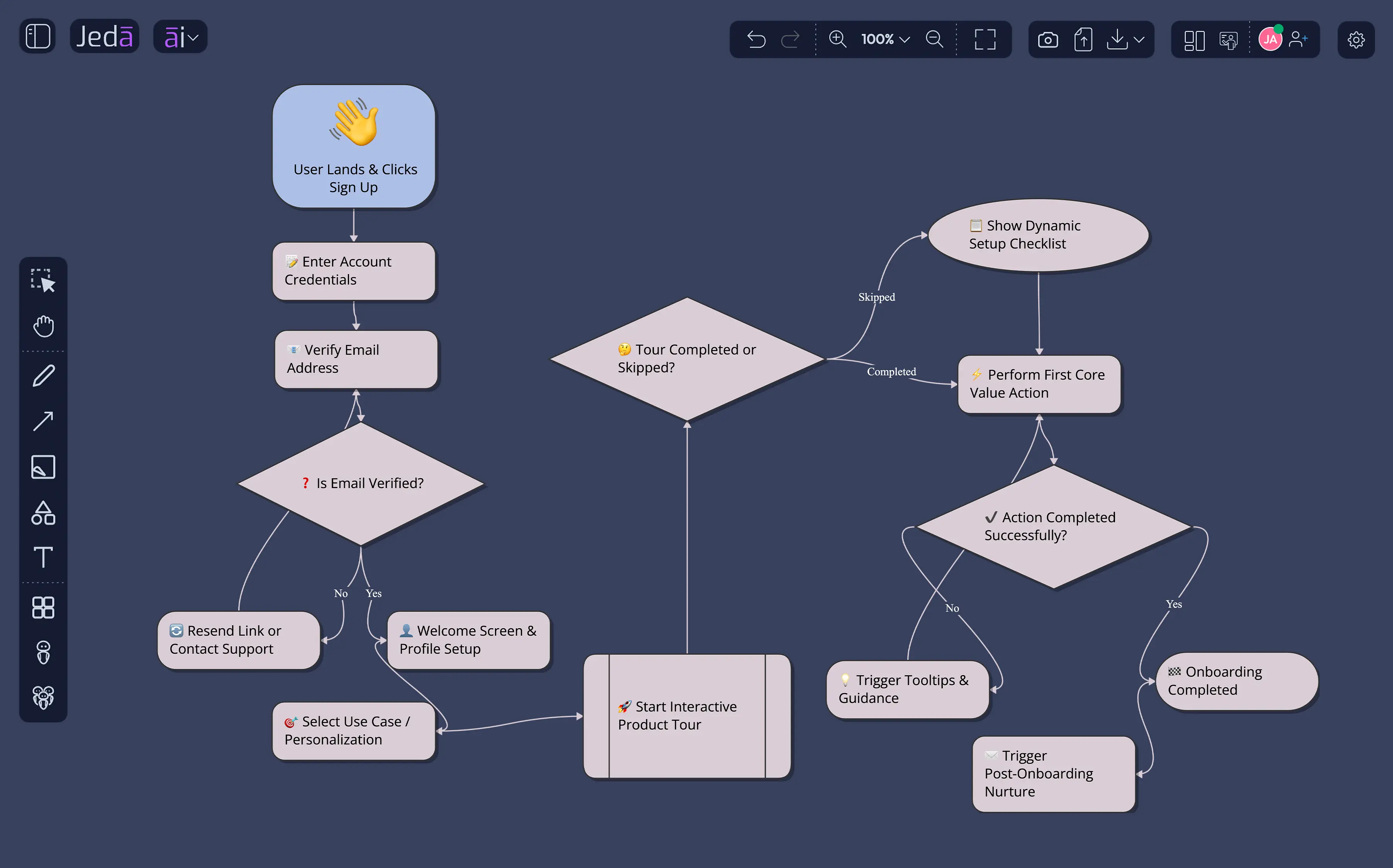
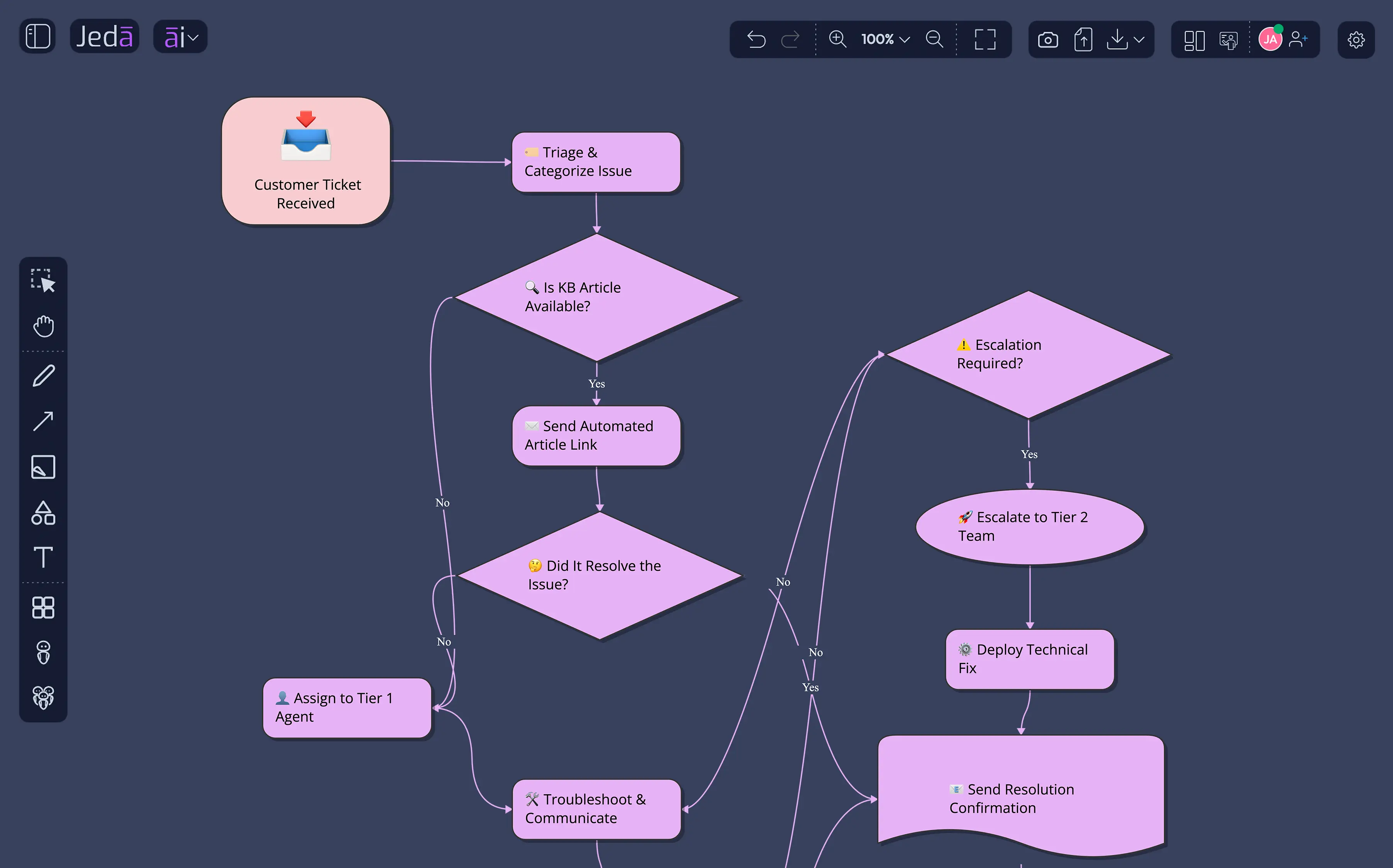
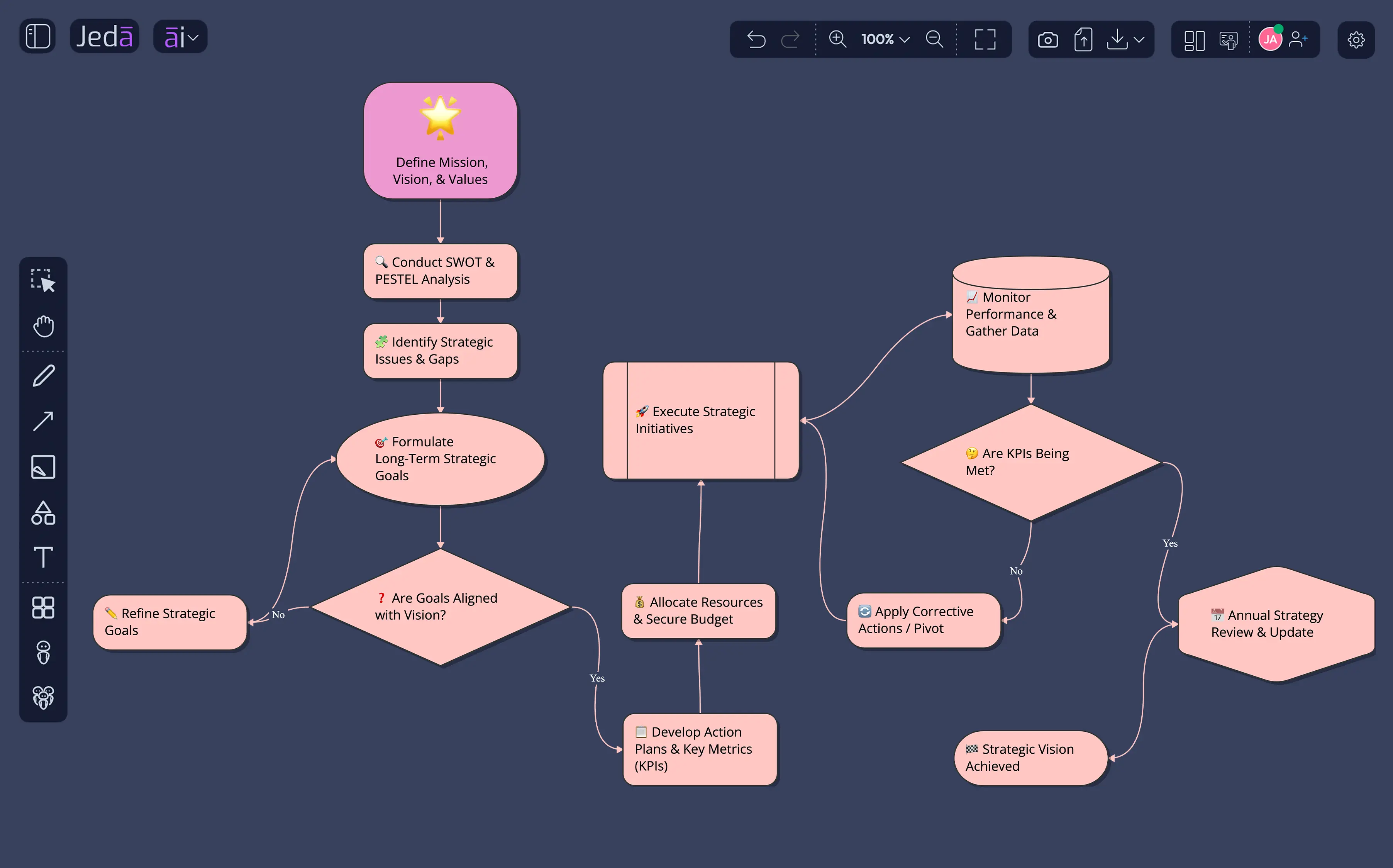
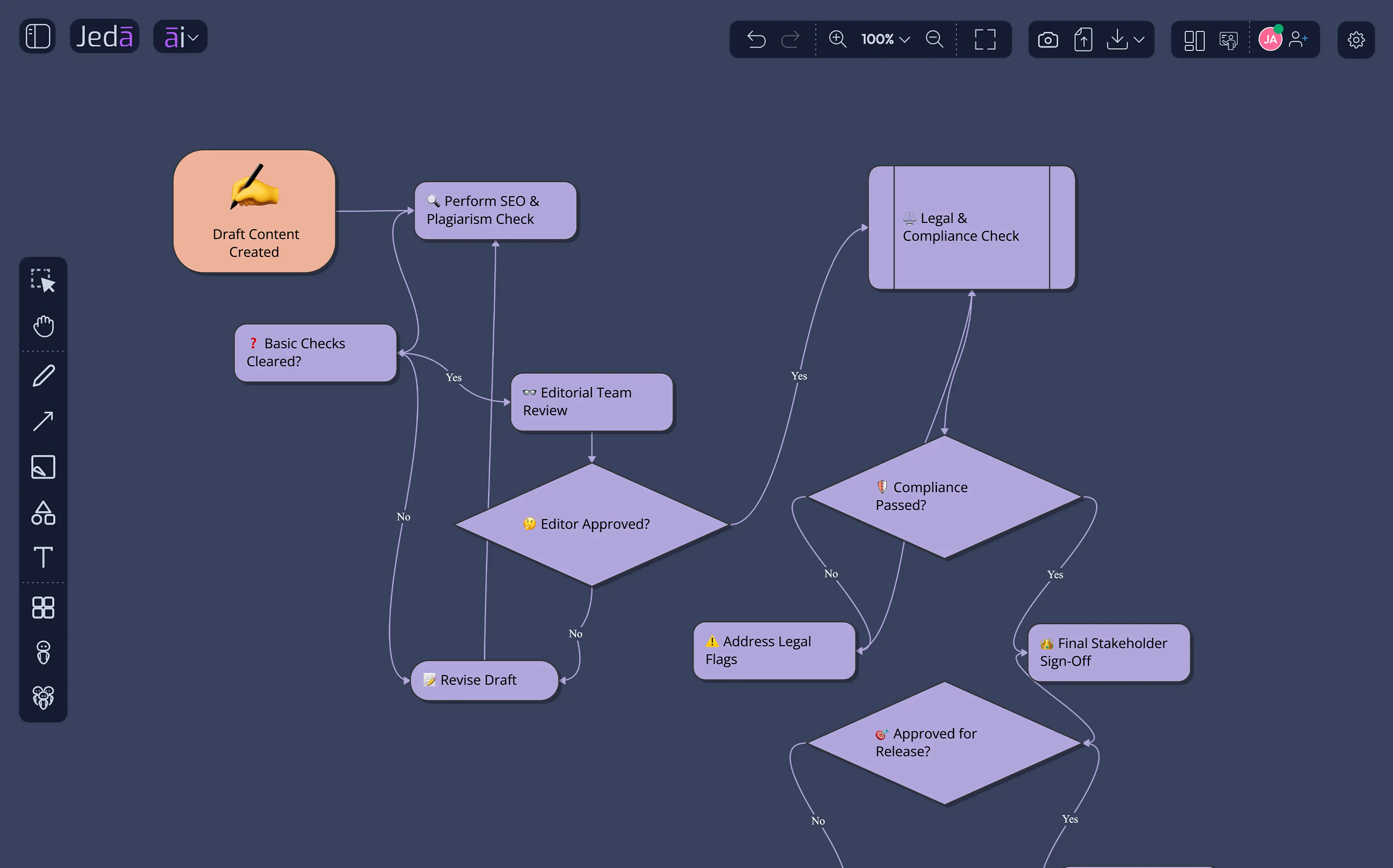
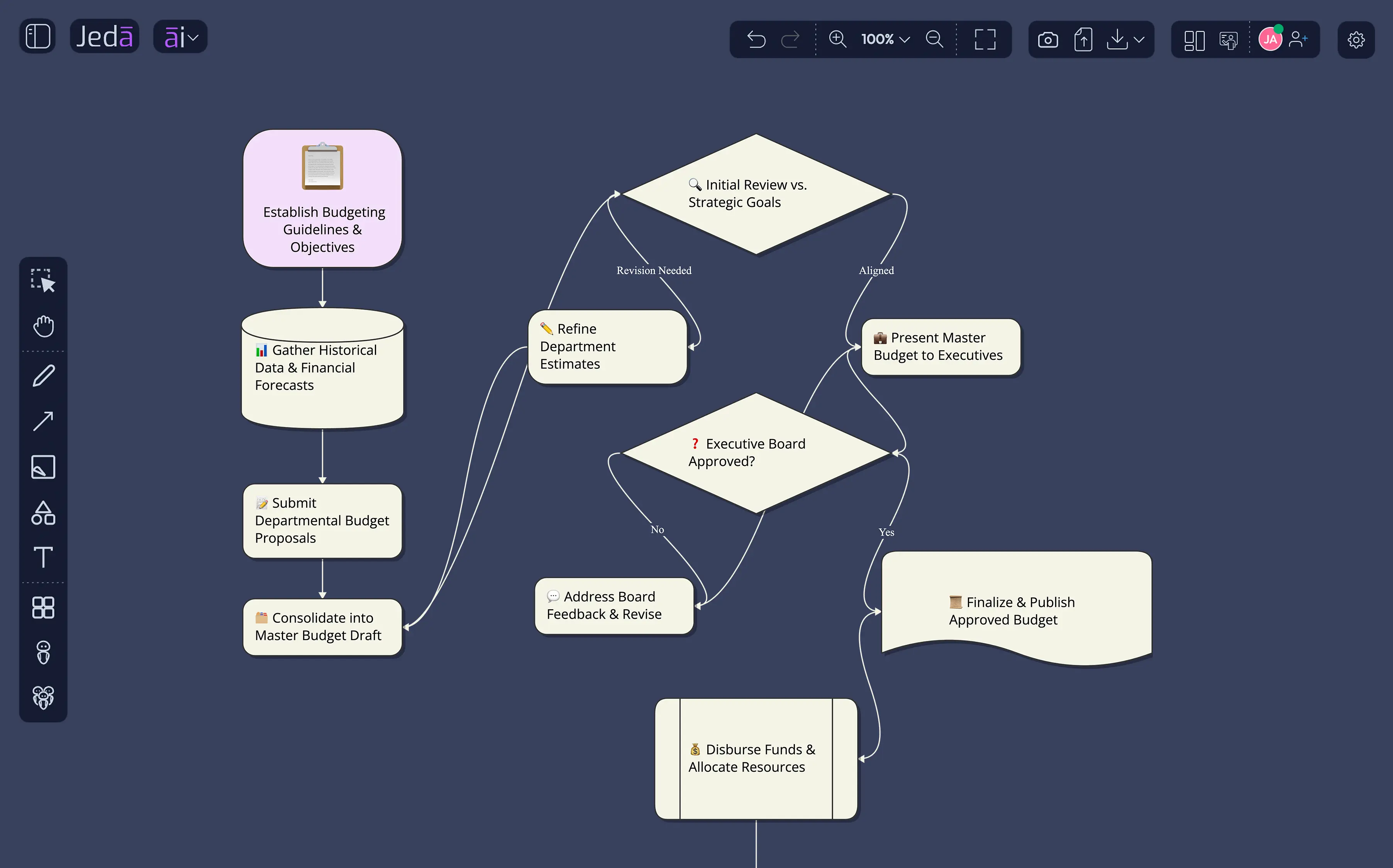
Engineers, product managers, and strategy consultants use Jeda.ai's AI Whiteboard and flowchart tools to visualize and review complex processes.
We also offer to help you get started
"This hits on something crucial that most miss; the real power isn't in consolidating tools, it's in consolidating your thinking process. When ideation, visualization, and analysis happen in the same workspace, you stop losing momentum in the handoff between "having an idea" and "seeing if it works." The multi-LLM comparison feature is particularly smart, most people stick with one AI and miss better solutions that are right there."
"Jeda.ai Version 3 sounds like a game-changer! The ability to turn ideas into editable visuals instantly and the multi-LLM agent feature are especially impressive. It’s like an all-in-one workspace for visual thinkers. Definitely excited to try it out!"